Adapt a brief for another marketing channel
Take a brief that works and turn it into a brief for another channel, without starting from a blank page.
On this page
The short version
 The short version
- From the brief's Details, choose Adapt for another channel.
- Pick the marketing channel and check the audience, core message and call to action.
- The new brief joins that channel's live initiative, or starts one, and links back to the original.
A good piece of marketing rarely belongs in one place. Ines's story about paying Huila farmers before the harvest works on a food podcast, and it works just as well as an Instagram diary or a page people find through search. Adapting a brief takes the subject, the evidence and your team's answers from one brief and writes a new brief for another marketing channel, the way that channel works. You start from everything you already know, not from a blank page.
Before you start
You can adapt any brief that has an outline and is not still being written, whatever its status.
Start the adaptation
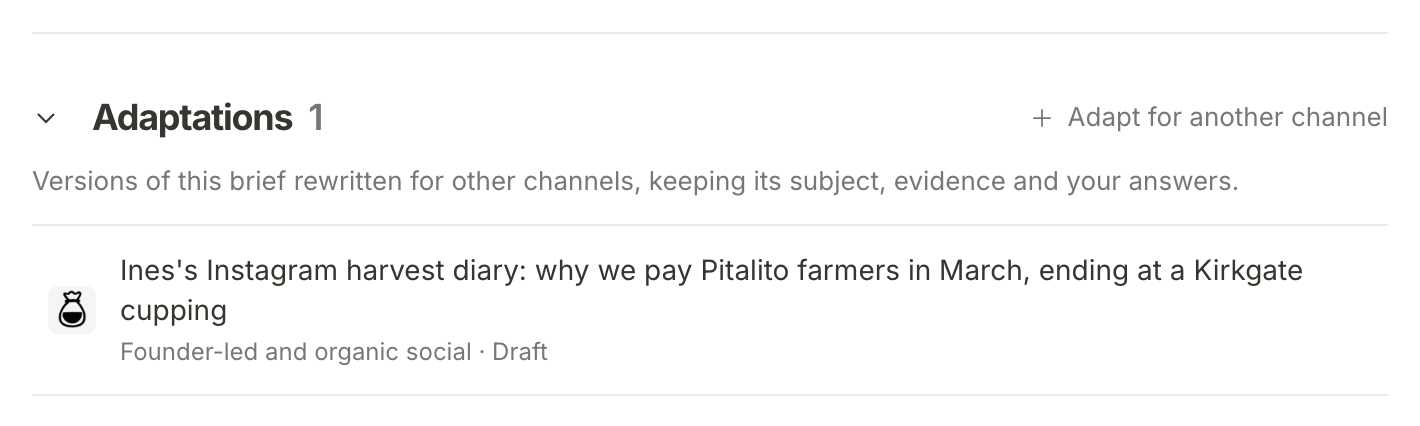
Open the brief and scroll to Details at its foot. Adaptations lists the versions of this brief already made for other channels: "Versions of this brief rewritten for other channels, keeping its subject, evidence and your answers." The Huila podcast brief already has one, the Instagram harvest diary for Founder-led and organic social. Press Adapt for another channel beside the heading.
The same choice is in the sidebar: open the ⋯ menu on a brief's row under Briefs and choose Adapt for another channel.
Pick the channel
The page is Adapt for another channel, with the brief's title under it, and the form is headed Take this piece to a new channel. It explains what will happen: the new brief keeps the subject, evidence and your answers, "and is written the way the chosen channel works. It joins that channel's live Initiative, or starts one."
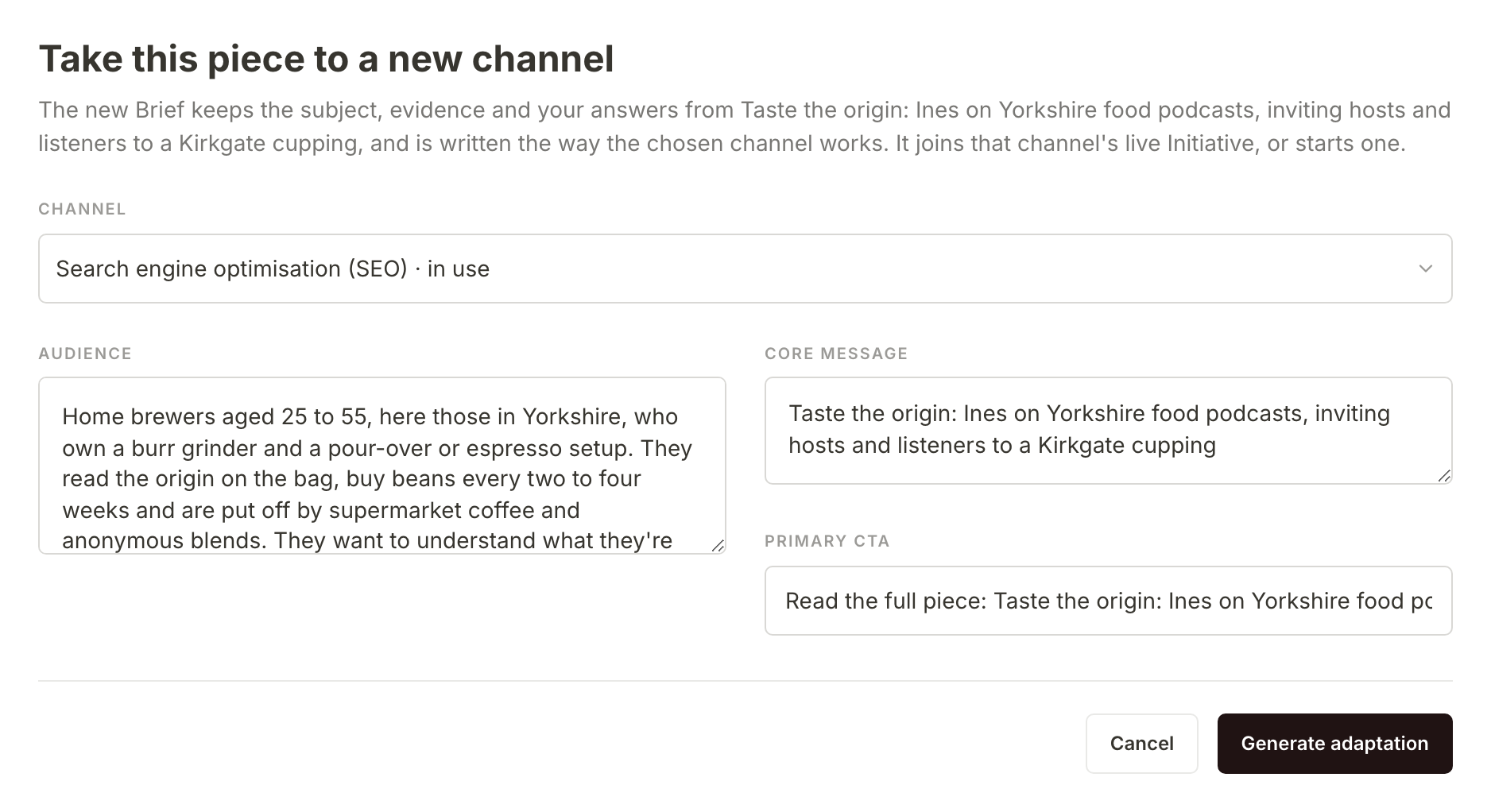
- Choose the Channel. Every marketing channel except the brief's own is in the list, and you can type to search it. Channels where you already have a live initiative come first, marked · in use, so the new brief lands somewhere your team is already working. Here Priya picks Search engine optimisation (SEO), where the V60 guide initiative is live.
- Check Audience, Core message and Primary CTA. They are filled in from the original brief. The core message becomes the new brief's title, so it is worth rewording it for the new channel. The call to action usually needs changing too: a search page and a podcast episode ask people to do different things.
- Press Generate adaptation. Writing the new brief uses some of the property's monthly AI allowance.
All three fields are needed. If one is empty, the form says which, for example "Add the core message first."
If the property's monthly AI allowance is used up, the form says so, with the date it resets: "This property's AI allowance is used for now. Generation becomes available again on 1 November." Nothing is made, so no empty brief or new initiative is left behind, and what you typed stays in the form.
Find the new brief
You land on the new brief with "Your adaptation is generating." It is a draft brief like any other, in the initiative for the channel you chose. While its outline is written the page says so, and when it is done it has its own outline, written for the new channel, and its own questions for your team to answer. Answer them as you would on any brief.
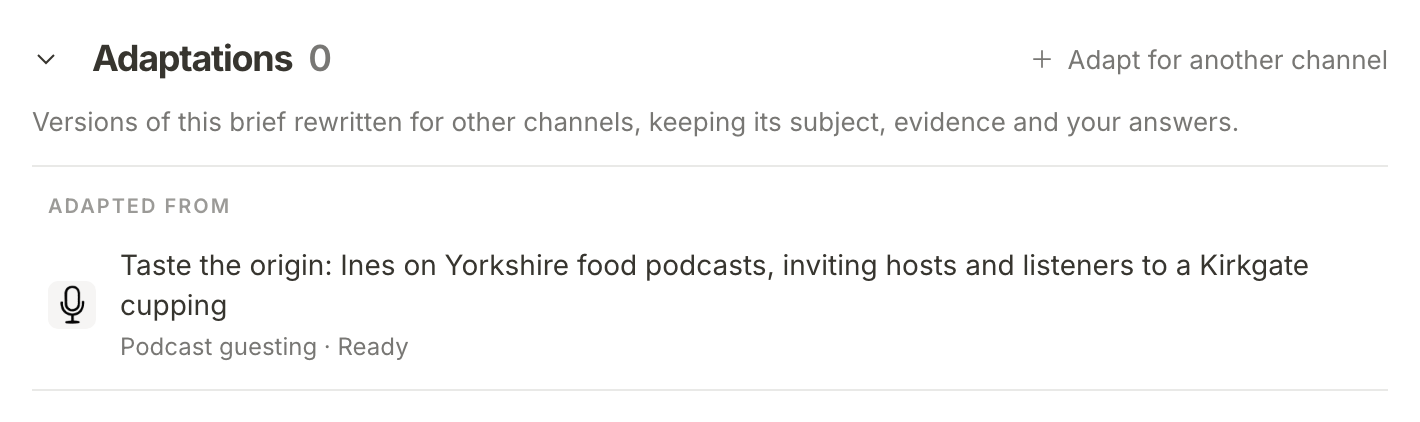
The two briefs are linked. On the new one, Adaptations shows Adapted from and the original, with its channel and status. On the original, the new brief joins the list, and every adaptation of the same original lists the others under Also adapted for.
What happens next
The adaptation is a draft with open questions. Answer your team's questions and update a brief shows how to work through them, and once it is ready you can write a first draft from it or hand it off.
Frequently asked questions
What if I have no initiative for that channel?
Mole Marketer starts one. If no live initiative uses the channel you choose, adapting adds a new live initiative for it, under the channel's usual title, and puts the new brief inside. It appears in the sidebar with your other initiatives, so you can rename it, or move its status, like any initiative.
Can I adapt an adaptation?
Yes, but the new brief links back to the original, not to the adaptation you started from. Every version of a piece stays in one family around the brief it all came from.
Does the adaptation use the original's evidence?
Yes. It is written with the original brief's outline, draft, answers and citations to hand, and it may cite the same sources the original cites as well as its own.