Run a week of marketing with Mole Marketer
What arrives each week, what you decide, and where to do it: initiative pitches, brief pitches, answers, handoff and traffic. A map to every other guide.
On this page
The short version
 The short version
- Each week Mole Marketer pitches new marketing initiatives, and on Mondays and Thursdays it pitches briefs for the ones you are running.
- Your job is to decide: accept or decline, answer each brief's questions, then hand the brief to whoever does the work.
- Funnel Analytics shows what each initiative brought in, and that feeds the next round of pitches.
Priya runs operations at Northfield Roasters and has Friday afternoons for marketing. The week below is how Mole Marketer makes sure she never starts that afternoon from a blank page: the ideas, the briefs and the numbers are already waiting, and her part is deciding what to do with them.
Before you start
The weekly schedule only runs for an Active property. A new property stays a draft until you finish setup in Analytics, so set that up first: Set up your business as a property walks through it, and Give Mole Marketer your business context covers what the pitches are built from.
Read the weekly brief
Once a week, Mole Marketer sends one email to the property's owners and admins. It lists the Pitches to review, the Briefs that need your answers, This week's briefs and your Current initiatives, with a button that opens the property. It goes out from 9am in your property's timezone, on the day chosen under Weekly brief in the property's Settings (Monday unless you change it).
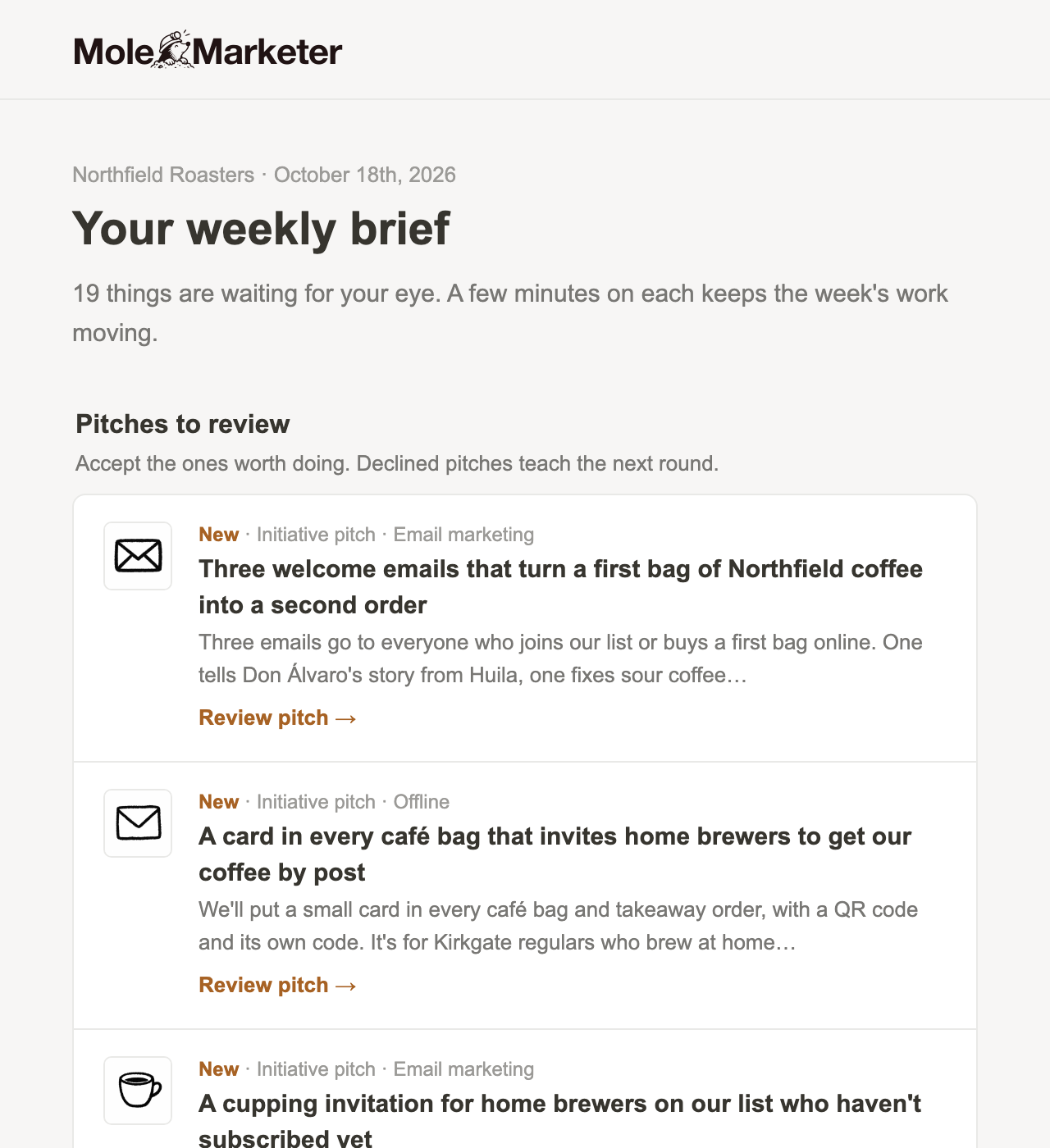
You can read the whole week from your inbox and open the app only for the parts you want to act on.
Decide on this week's initiative pitches
An initiative pitch is a marketing channel worth trying next, researched and scored against your business, with the reasons it fits. New ones arrive every Monday, and they wait under Initiative pitches on the Marketing page. Open one to read the idea, why it suits you and the evidence behind it, then choose Accept or Decline at the foot of the page.
Accept a pitch and it becomes a live initiative, and Mole Marketer starts on its first brief pitches straight away. Decline it and you can say why, which shapes later rounds. Review this week's initiative pitches covers both.
Pick briefs for the initiatives you run
Brief pitches are the next useful pieces of work inside a live initiative: a podcast pitch to send, a guide to write, an evening to run. They arrive on Mondays and Thursdays from 9am (the first eight of those days each month), under Brief pitches on each initiative's page, and owners and admins get an email when they land.
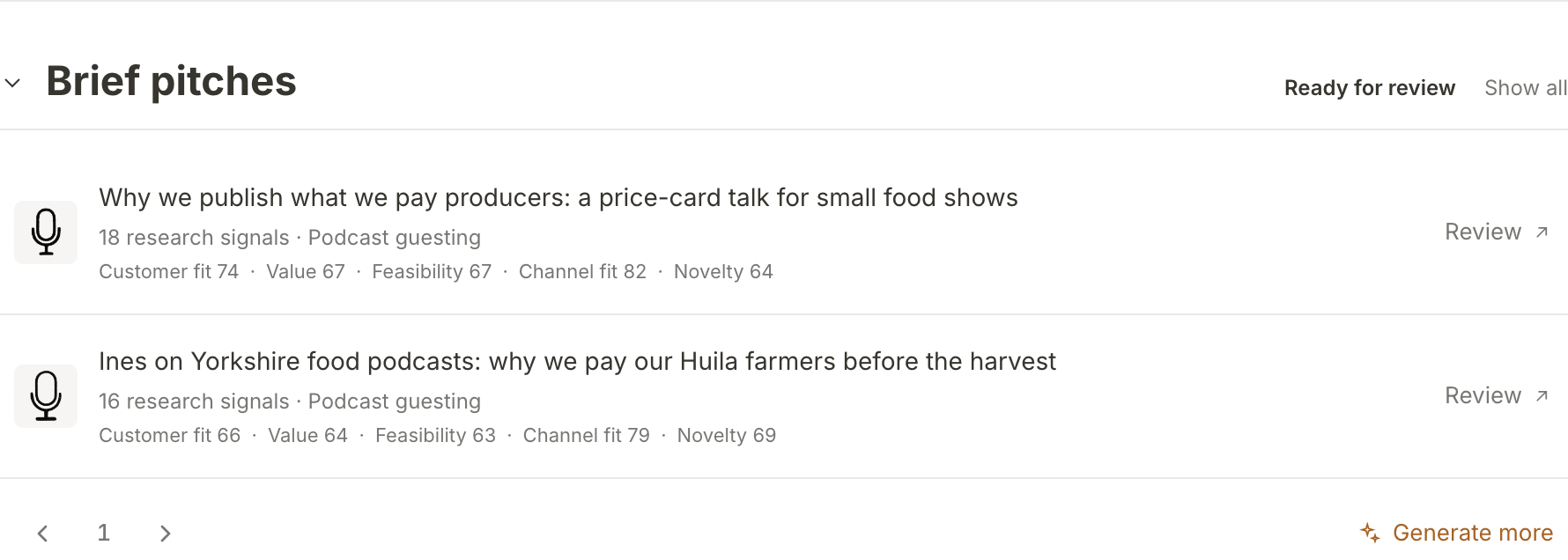
With one or two live initiatives, each gets new brief pitches on every one of those days. With more, they take turns: each of those days goes to one initiative, so the more you run, the longer each one waits for its turn. A new initiative does not start at the back: it gets the next of those days, unless it already has brief pitches waiting for review or got some in the last three days, and then takes turns with the rest. Accept a brief pitch and it becomes a brief you can edit. See Pick the next brief for an initiative.
Answer the brief's questions
Every brief asks for what only your team knows: an opinion, a first-hand story, a number you will stand behind. Open Human in the loop on the brief to see them. Answers save as you type, and Update brief writes them back into the brief, keeping every question you have answered.
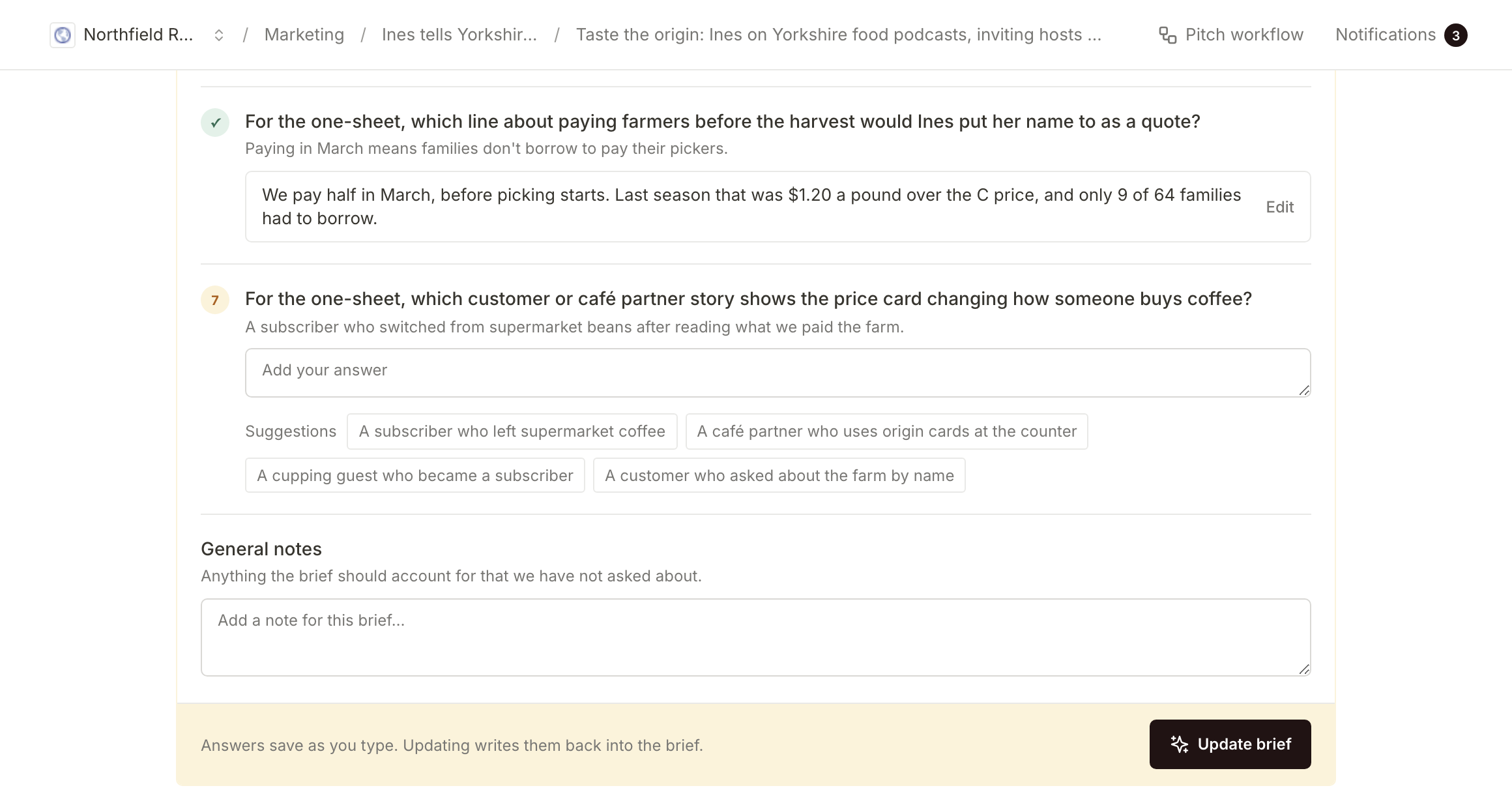
On Northfield's podcast brief, Ines answered the question about paying farmers before the harvest with the line she would put her name to. That answer is what makes the brief sound like Northfield and nobody else. Answer a brief's questions and update it shows what a good answer looks like.
Hand it to whoever does the work
When the brief is right, press Mark as ready. The Use this brief section then lets you copy it into the tool you work in (for a podcast brief that is Gmail or Google Docs), copy it and open it in ChatGPT or Claude, or send it by email to someone at your business, such as Tom, who runs the café.

Mole Marketer does not publish or post anything. Your team does the work and decides when it goes out. Hand a brief to whoever does the work covers each option.
See what it brought in
Each initiative carries its own tracking tags, so visits that arrive through its tracked link are counted against it. Under Initiative analytics on the initiative's page you can see its attributed visitors, conversions and conversion rate, and Browse opens Funnel Analytics filtered to that initiative.
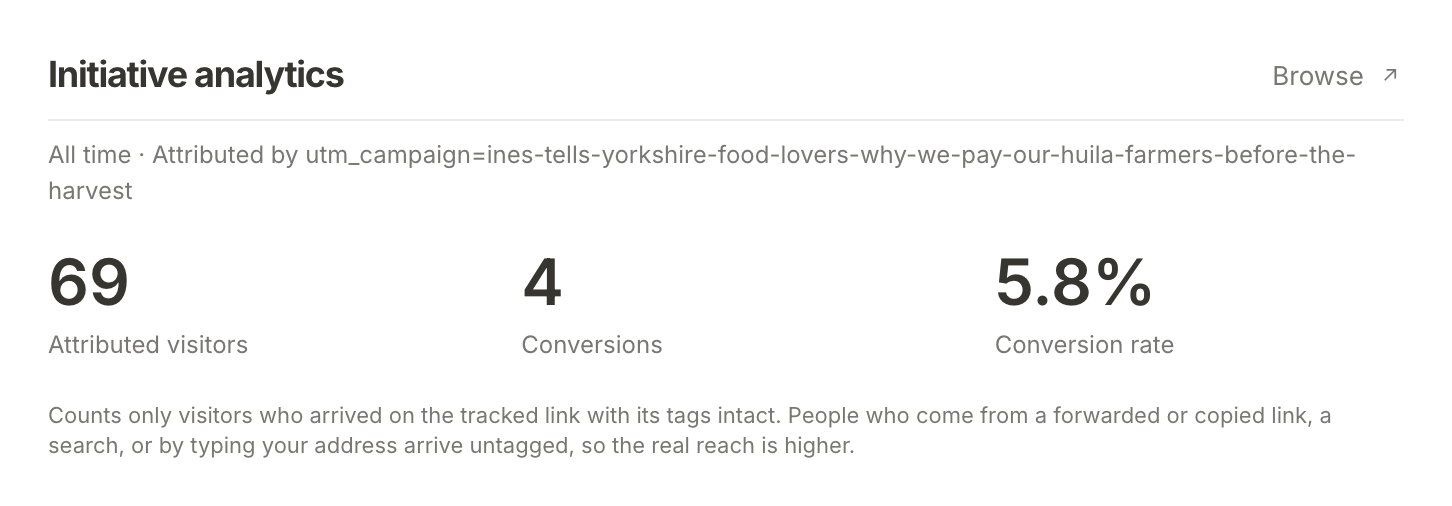
For those numbers to appear, Funnel Analytics has to be installed on your site: see Install the tracking tag on your site.
What happens next
Every night, a summary of your last 90 days of visits (the pages people arrived on, where they came from and how many converted) goes into the business context that the next pitches and briefs are built from. So what your visitors actually did feeds the next round of ideas, and the week starts again with something to decide.
If you are just starting, begin with Set up your business as a property.
Frequently asked questions
What if we skip a week?
Nothing breaks. Initiative pitches wait for 30 days, then expire if nobody has decided on them. Nothing is published or sent on your behalf in the meantime.
Does Mole Marketer post or publish anything?
No. It pitches, briefs and can write a first draft. Your team publishes the work, in the tools you already use.
Can we change the day the weekly brief arrives?
Yes. An owner or admin can pick the day under Weekly brief in the property's Settings, using Send it on.