Review this week's initiative pitches
Each pitch is a marketing channel worth trying, with the reasons it fits your business. How to read one, check its evidence, and accept or decline it.
On this page
The short version
 The short version
- Pitches arrive in your weekly brief email and wait on the Marketing page.
- Read why each one fits, then check its score and the evidence behind it.
- Accept the ones worth doing and decline the rest. A pitch nobody reviews expires after 30 days.
An initiative pitch is Mole Marketer's case for trying a marketing channel or project next: what to do, why it suits your business, what it might bring and what it cannot know yet. At Northfield Roasters, Priya accepted the podcast guesting pitch because Ines already talks sourcing at the café counter. This week she is weighing a coffee and bake evening with a Leeds bakery. Each pitch takes a few minutes to review, and nothing starts until you say yes.
Open the pitches
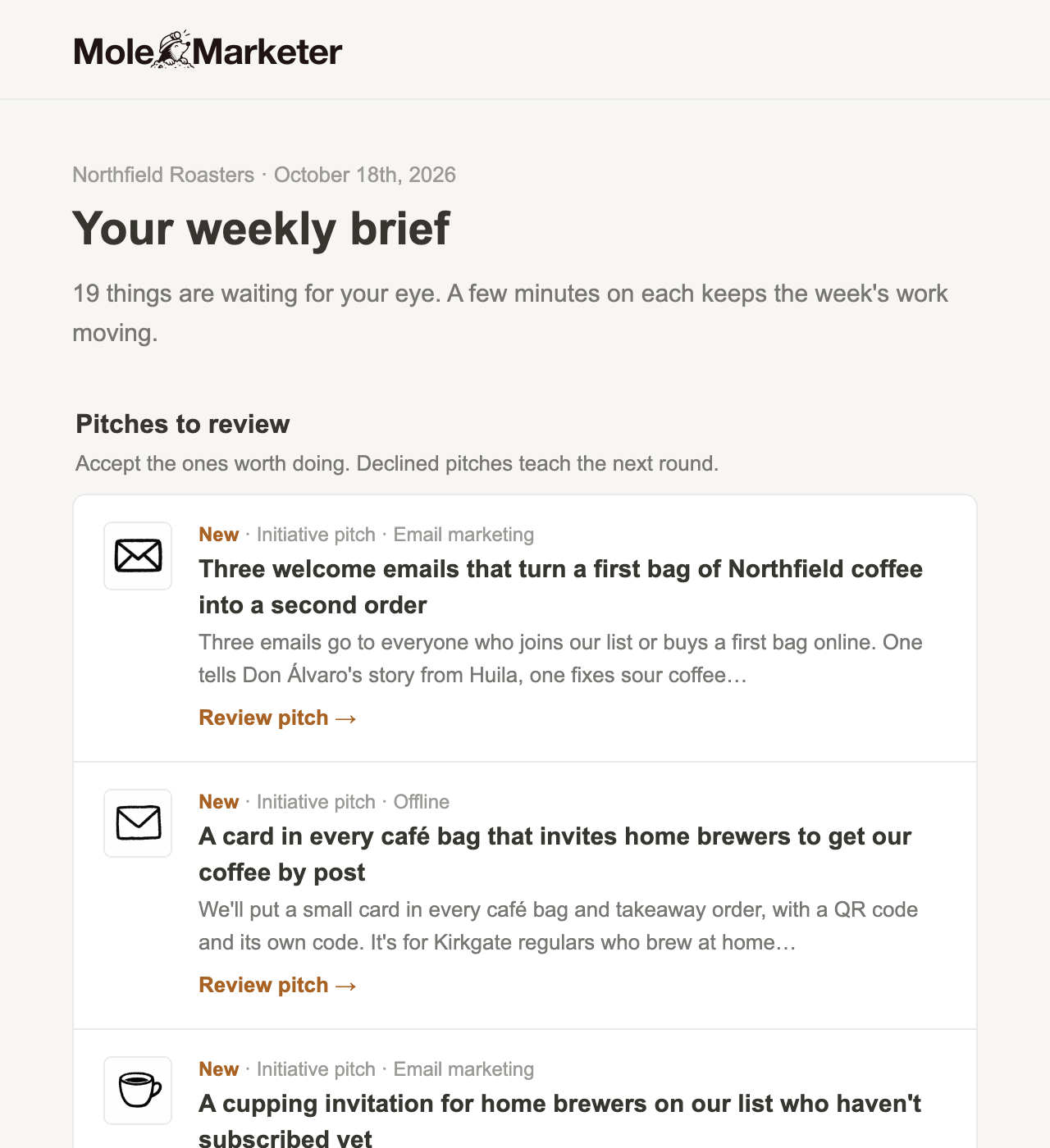
New pitches arrive in the weekly brief email, under Pitches to review. Each row names the marketing channel and has a Review pitch link that opens the pitch in Mole Marketer. The weekly brief goes to the property's owners and admins on the day set in the property's Settings (Monday unless you change it).
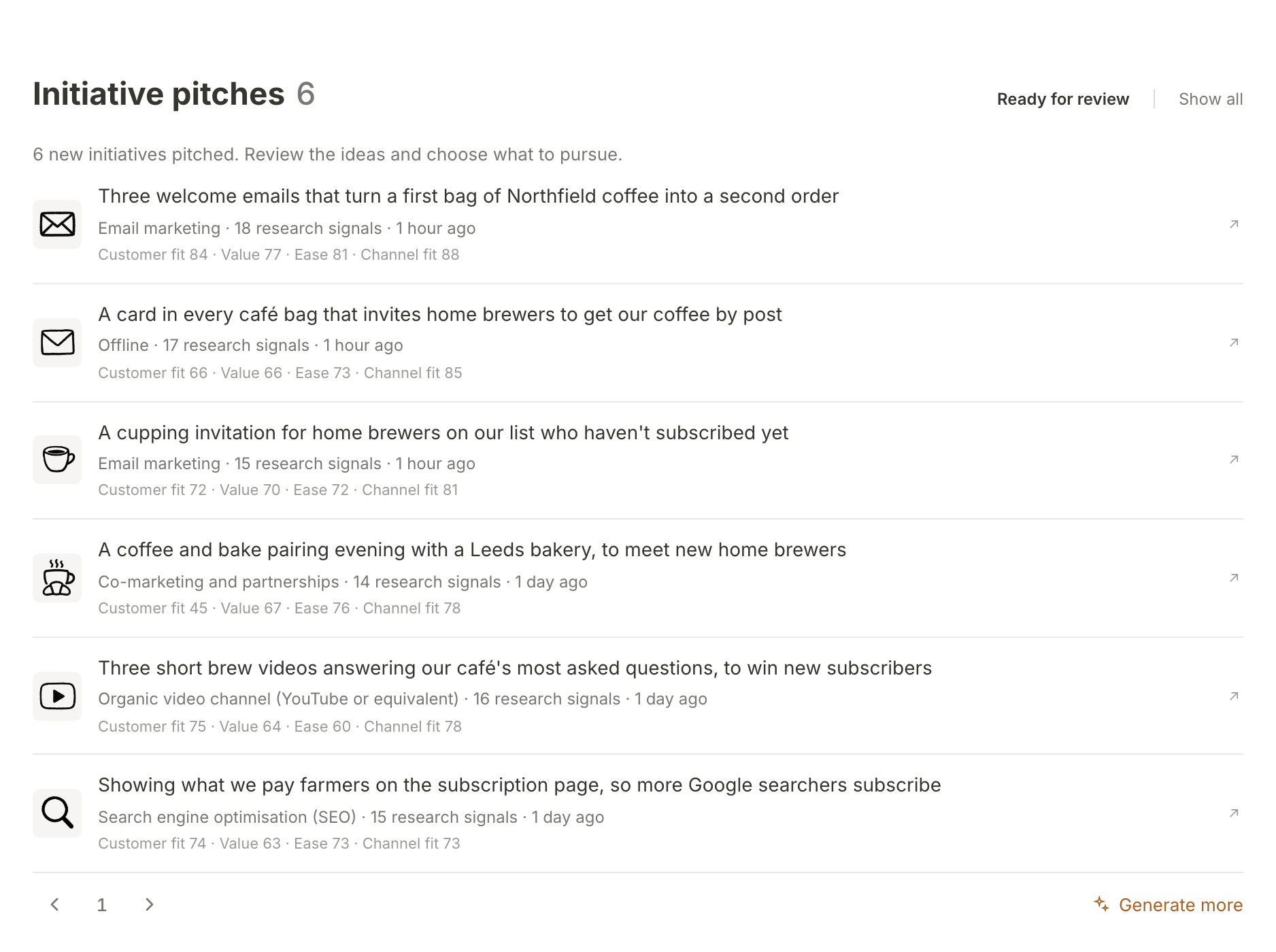
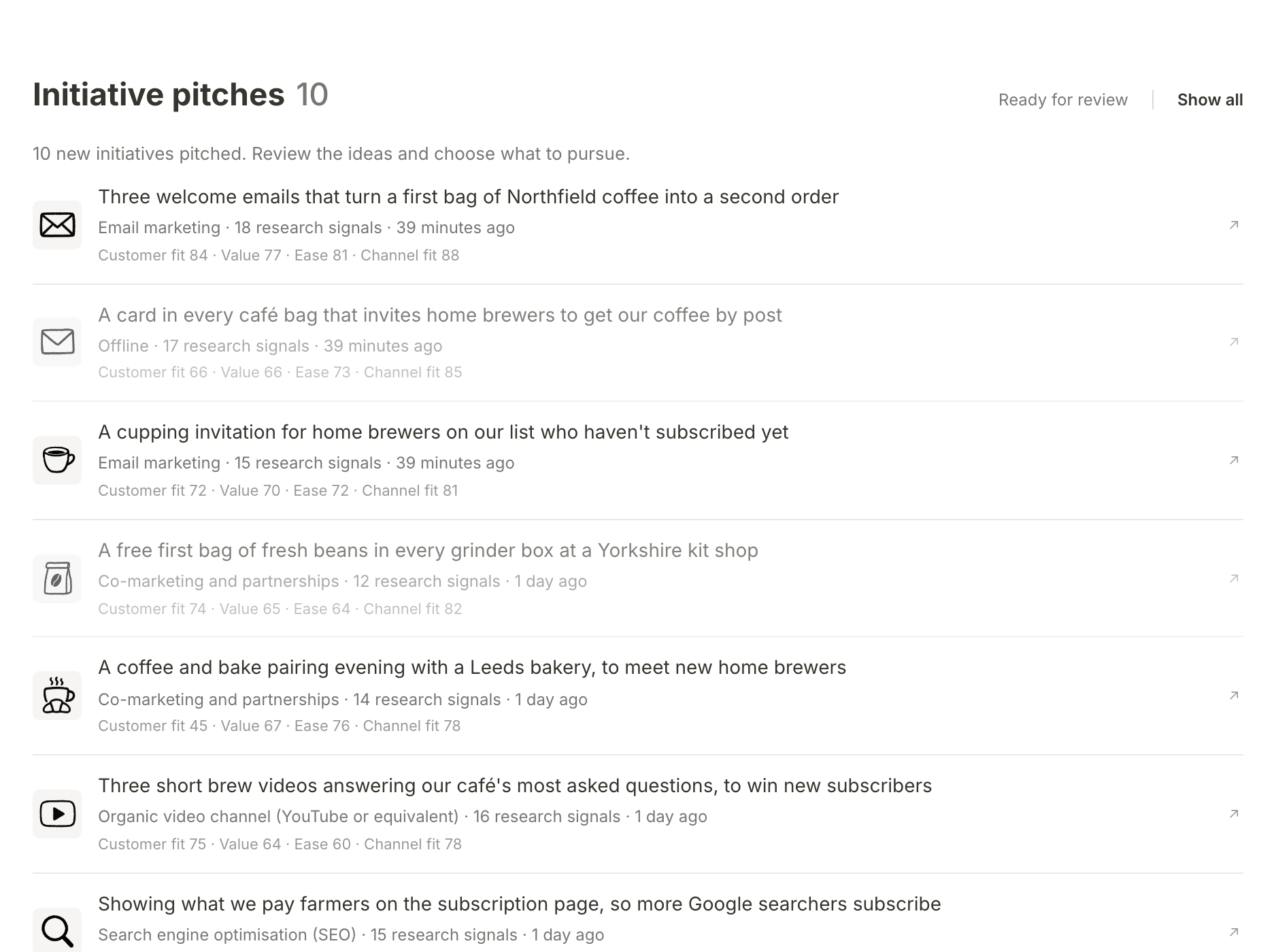
You can also start from the app. Open Marketing and scroll to Initiative pitches, which shows the pitches Ready for review. Each row gives the marketing channel, how many research signals the pitch drew on, and four of its scores. The sidebar's Initiatives section also says how many are ready for review.
Read why it fits
Open a pitch and start with Why this initiative. It is written in five short parts: The bet, Why this channel, What to expect, What could go wrong and What we don't know yet. The last part is there on purpose. A pitch that admits what it does not know is easier to judge than one that sounds certain.
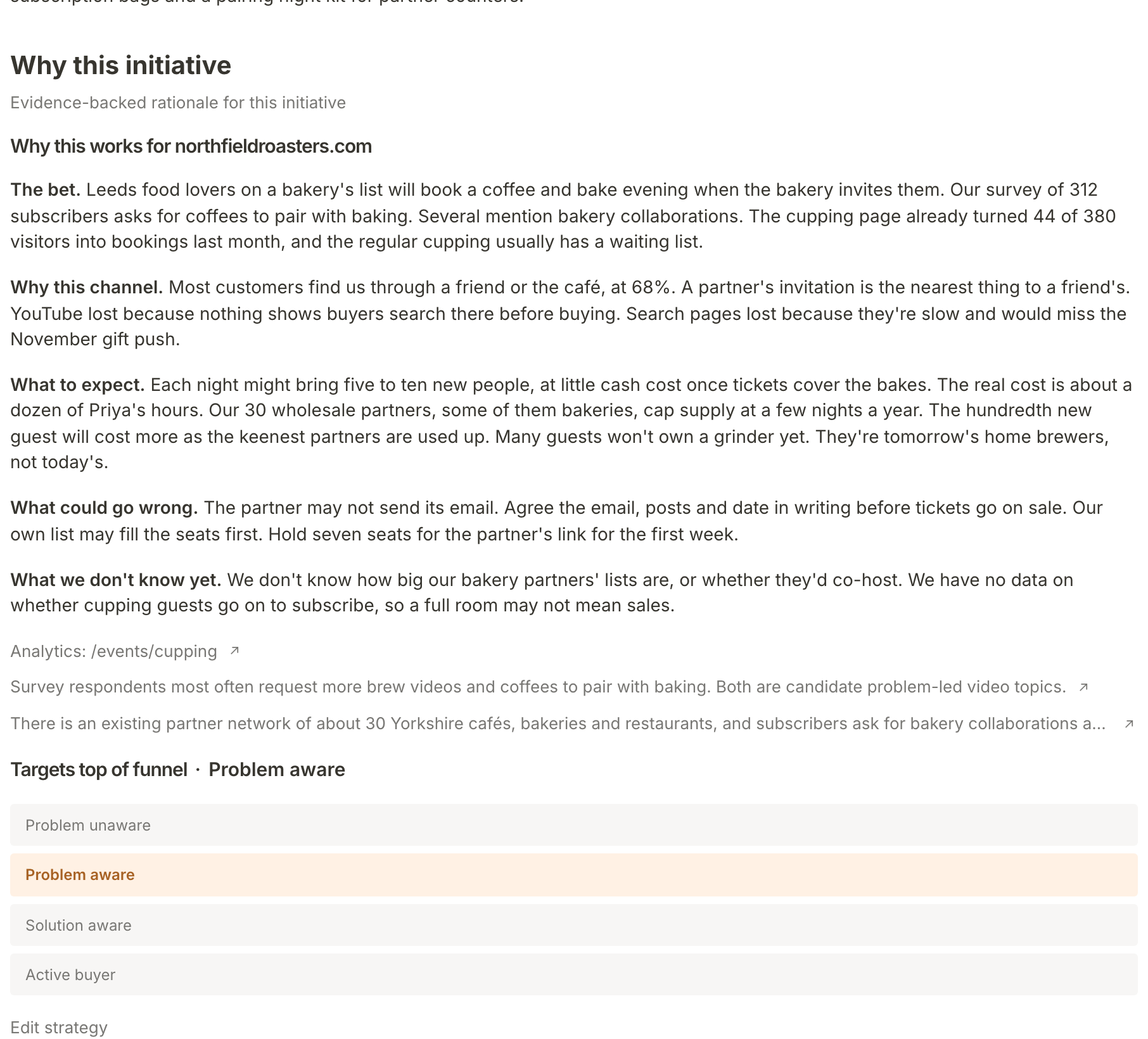
Under the rationale are links to the evidence it leans on most, such as a page from your Funnel Analytics or a line from your own documents. Above it, the Summary sets out the test itself: what you would do, for how long, and how you would know it worked.
Check the score and its evidence
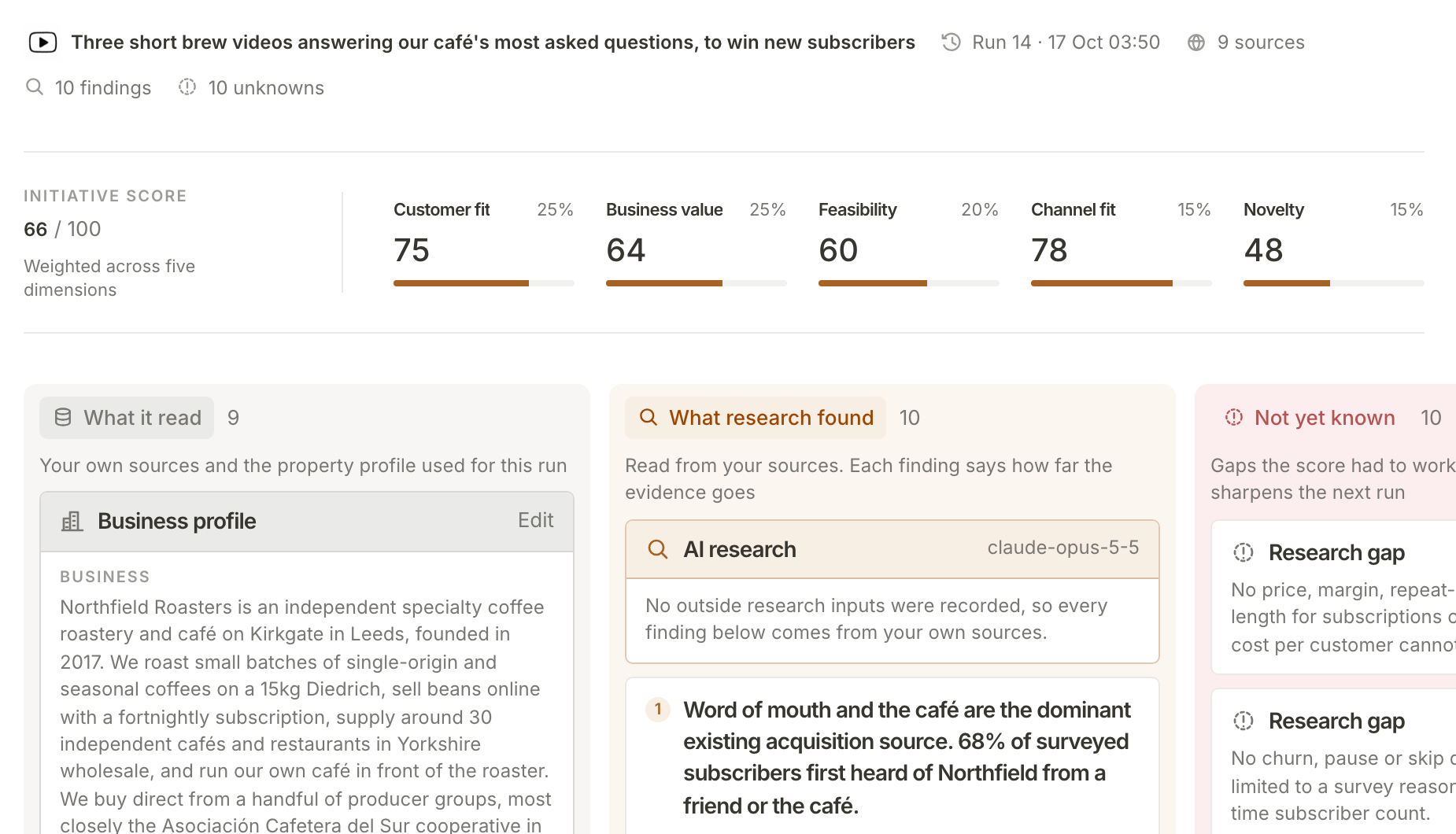
Each pitch is scored on five things: Customer fit, Business value, Feasibility, Channel fit and Novelty. They are weighted into one composite out of 100. Open Details near the foot of the pitch to see them under Initiative scores. The Marketing list shows four of them in short form (Customer fit, Value, Ease and Channel fit).
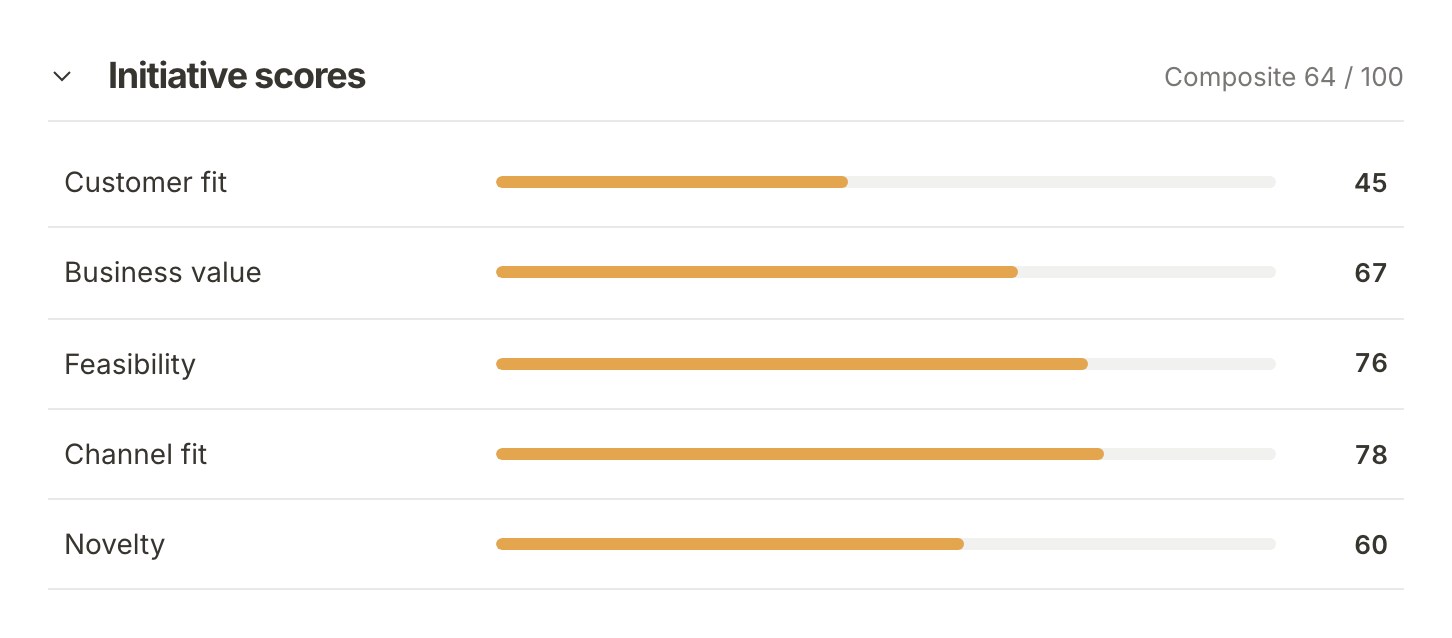
A low score is not a no. The bakery evening scores 45 on customer fit because many guests will not own a grinder yet, which the pitch says plainly. Whether that matters is your call.
To see what the score was built from, open Supporting evidence and choose View all, or click any score. The Supporting evidence page shows each score with its weight, then what the run read, what research found, and what is Not yet known. Filling a gap it names, for example by connecting another source on your Context page, gives the next run more to work with.
Accept it
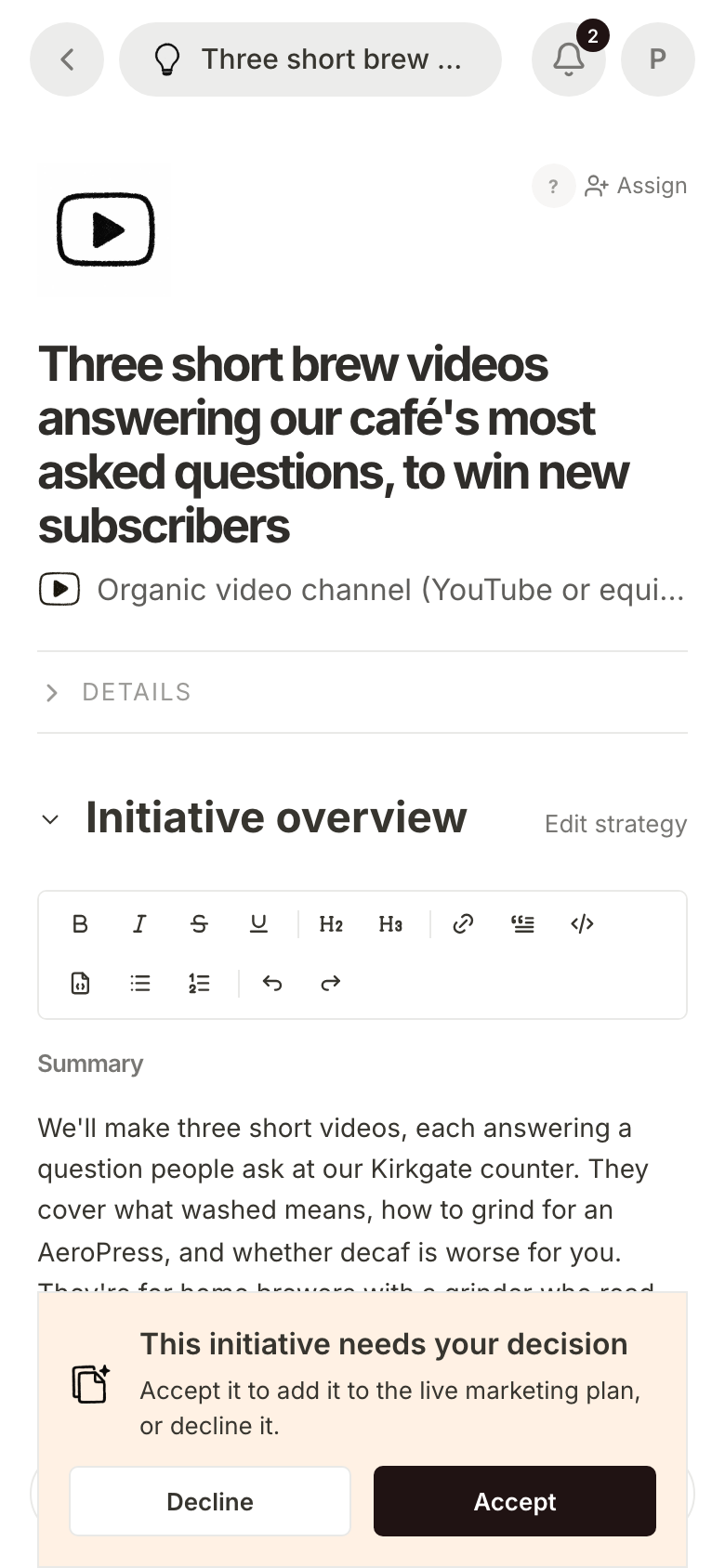
At the foot of a pending pitch is This initiative needs your decision. Press Accept to add it to your live marketing plan. The page reloads with the initiative's status as New, and it joins the Initiatives list in the sidebar.
Accepting also asks for the initiative's first brief pitches straight away; they take a few minutes to arrive. After that, the initiative joins the Monday and Thursday brief schedule. If your live initiatives take turns, a new one goes to the front of the line for its first scheduled round: it gets the next of those days once its first brief pitches are no longer waiting for review and were asked for at least three days ago, then takes turns with the rest. Each initiative also has its own tracked link (under Details, Conversion link), so visits from it can be told apart in Funnel Analytics.
On a phone the decision bar sits at the bottom of the pitch, with Decline and Accept side by side across it.
Or decline it, and say why
Press Decline if the pitch is not for you. You go back to the Marketing page, and the pitch leaves the list of pitches ready for review.
To say why, open the declined pitch again from Show all. It asks Optional: what made this miss? and offers four answers: Wrong channel, Done already, Off brand and Not now. Choose one and you will see "Thanks. Your feedback was saved."

The reason is worth the click. The next run is told what you declined and why, along with every initiative you already have, so it does not pitch the same thing again.
Let the rest wait
You do not have to decide everything this week. A pitch stays ready for review for 30 days, then expires. Choose Show all to see every pitch, including the ones you declined, which stay in the list dimmed.
What happens next
A new initiative's brief pitches start arriving on the initiative's own page. Each one proposes a piece of work in that marketing channel. Pick the next brief for an initiative shows how to read and accept them.
Frequently asked questions
Who gets the weekly brief email?
The property's owners and admins, unless they have turned it off from the link at the foot of the email. Everyone who can open the property also gets a notice in the app for each new pitch.
Can team members accept or decline pitches?
Yes. Anyone the property is shared with can accept or decline a pitch, not only owners and admins.
Can I accept or decline a pitch from ChatGPT or Claude?
Yes, once you have connected Mole Marketer to it. Tell the assistant your decision and it records it, the same as the buttons here, including one of the four reasons when you decline. See use Mole Marketer from ChatGPT or Claude.
Does declining change the next pitches?
Yes. The next run is told about every initiative the property already has, including the pitches you declined or let expire and the reason you gave. It uses that list to avoid pitching the same idea twice.
How often do new pitches arrive?
New initiative pitches are made once a week while your property is active, and arrive in the weekly brief. Pressing Generate more under Initiative pitches asks for more straight away, and uses some of the property's monthly AI allowance.