Pick the next brief for an initiative
Brief pitches propose the next useful piece of work inside a live initiative. How to read one, accept it, or ask for more.
On this page
The short version
 The short version
- New brief pitches arrive on Monday and Thursday mornings, inside your live initiatives.
- Read the pitch, its questions and its scores, then accept it or decline it.
- Want more now? Press Generate more on the initiative.
Once an initiative is live, Mole Marketer keeps proposing the next piece of work for it. Each proposal is a brief pitch: a ready-made brief for one piece in that marketing channel, with a purpose, an outline and the questions only your team can answer. At Northfield Roasters, the podcast guesting initiative already has one accepted brief about Ines on Yorkshire food shows, and two more pitches waiting. Accepting one turns it into a draft brief you can edit and hand off.
Before you start
Brief pitches only come to a live initiative. If you have not accepted one yet, start with Review this week's initiative pitches.
Find the brief pitches
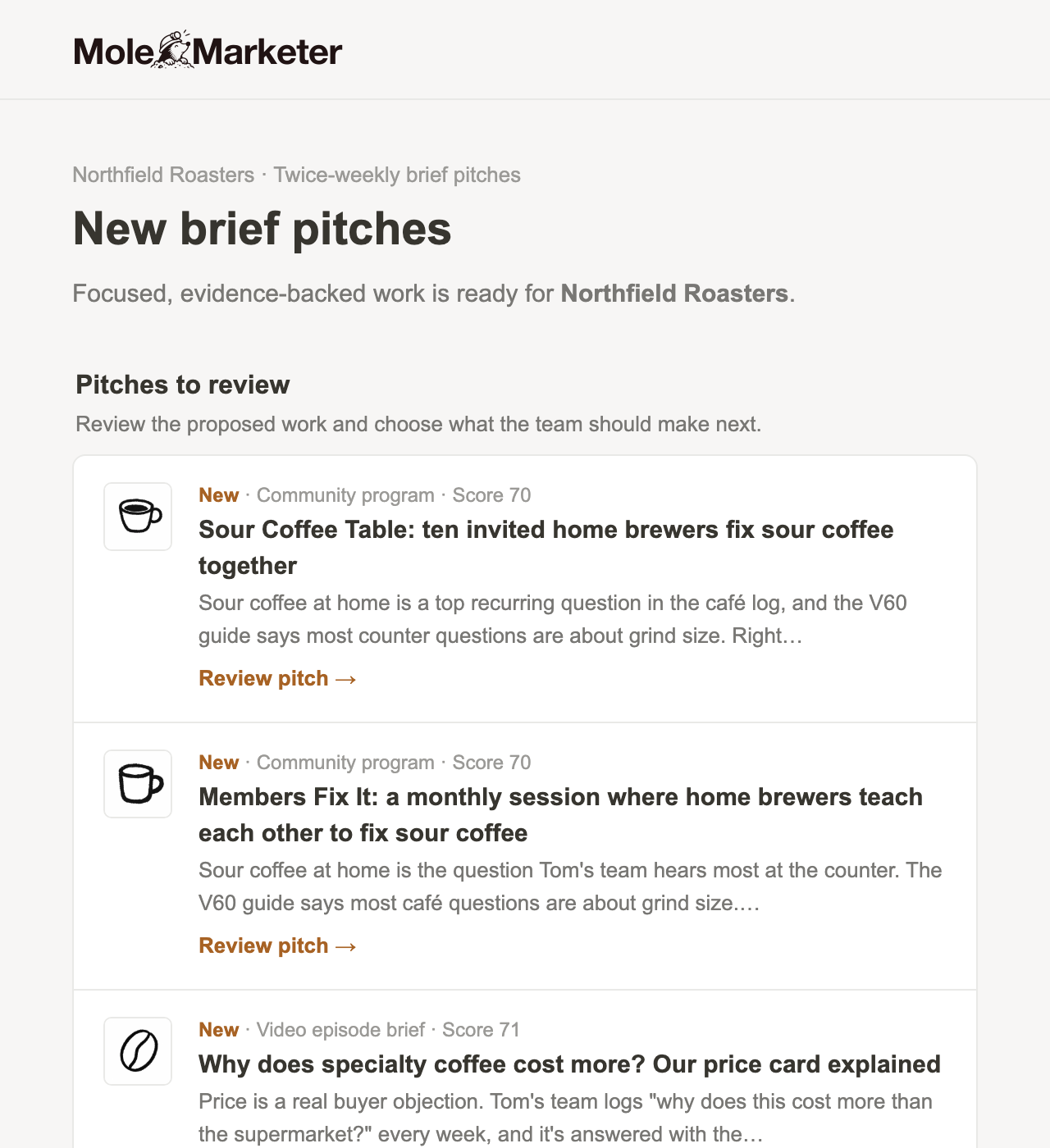
When new brief pitches are ready, the property's owners and admins get a New brief pitches email. Each row gives the format and score, a line on why it is worth doing, and a Review pitch link. Pending brief pitches also appear in the weekly brief email.
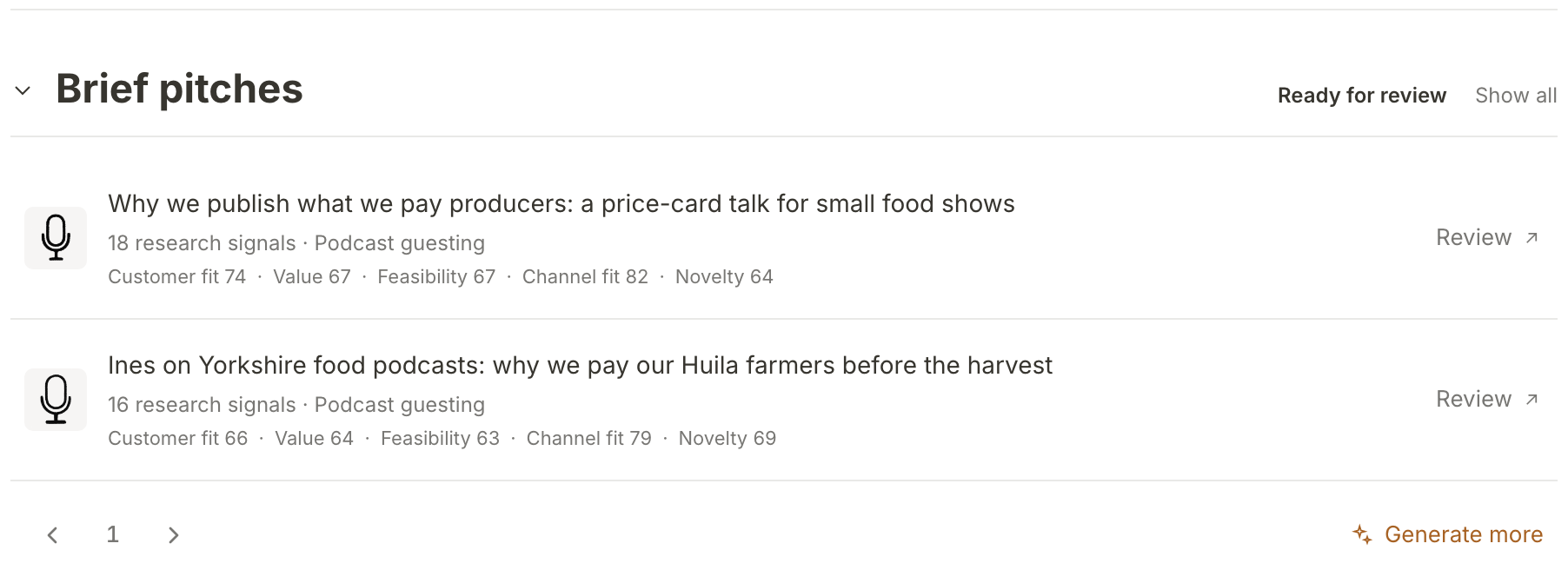
In the app, open the initiative and scroll to Brief pitches. Ready for review lists the pitches waiting for a decision, each with its five scores, and Review opens one. The Brief pitching line at the top of the initiative says how many are ready and when the next scheduled pitches are due. If nothing is waiting, the section says Nothing waiting for review.
Read the pitch
A brief pitch opens as a Read-only pitch. The line under its title says what accepting does: it makes the pitch a draft brief in the initiative it was pitched for. Below that are its status, marketing channel and score out of 100. Below it is the brief itself, with a note saying how many sources it was generated from: the purpose first, then the outline the piece would follow.
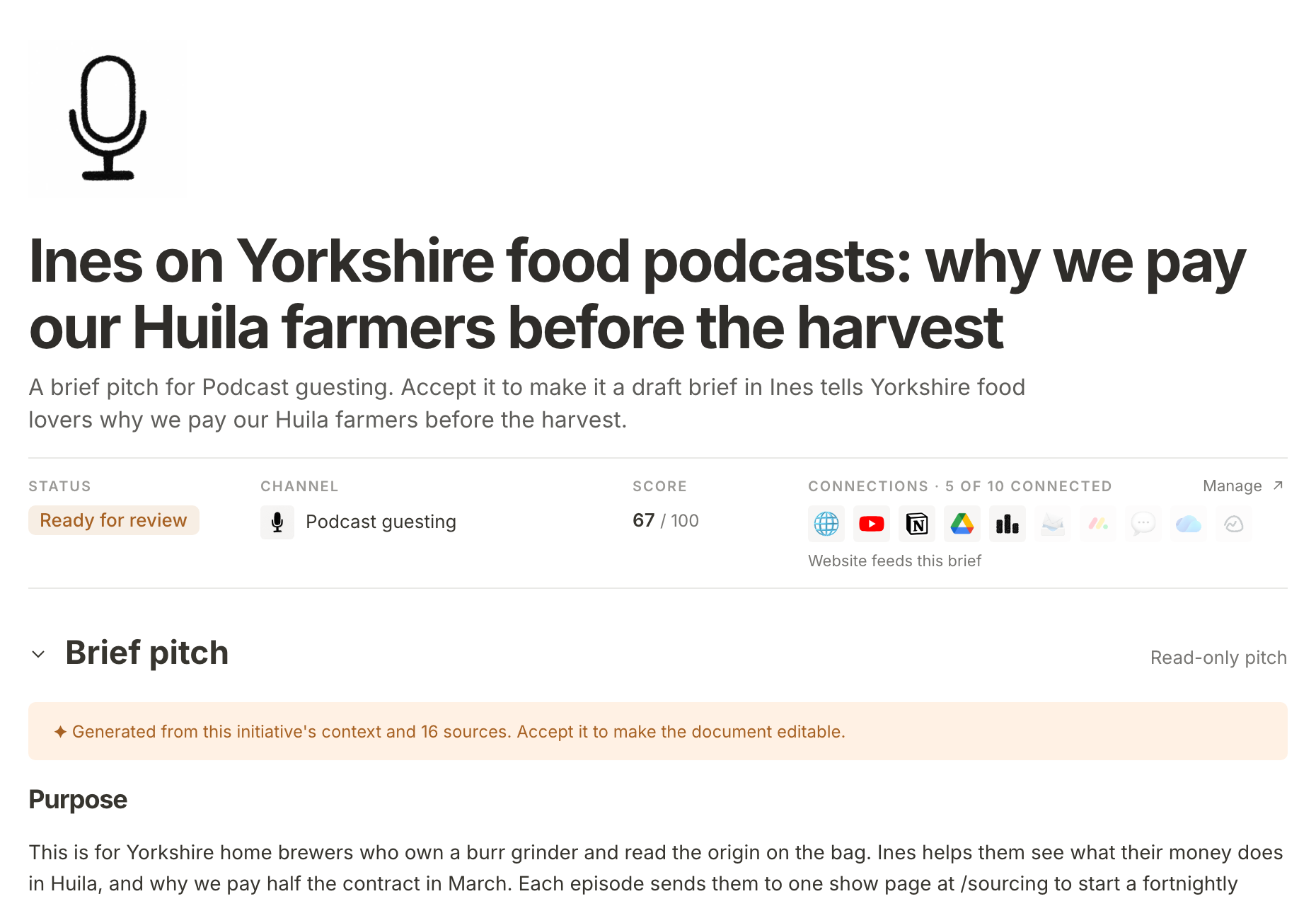
Read the purpose and ask whether this is a piece your team would make. In the Huila pitch, Ines explains on air why Northfield pays farmers before the harvest, and each episode sends listeners to one page to start a subscription.
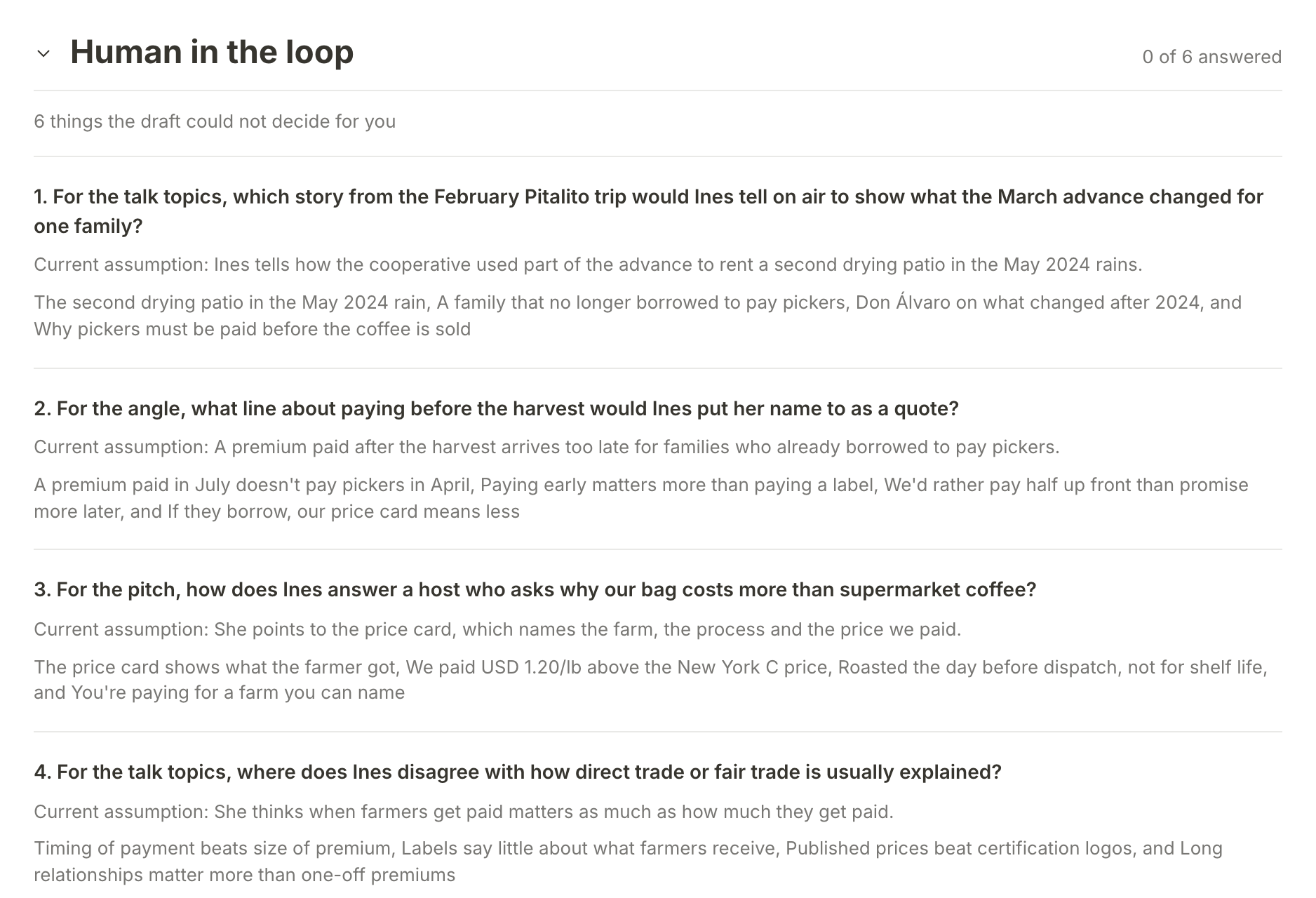
Then look at Human in the loop. These are the things the brief could not decide for you, such as which story Ines would tell or what line she would put her name to. Each comes with the brief's current assumption. You answer them once the brief is yours, so a pitch whose questions your team can answer well is usually a good pick.
To see what the score was built from, open Details at the foot of the pitch. Scores shows the five scores behind the composite, and Supporting evidence lists the documents the brief cites, with View all for the full page.
Accept or decline
At the foot of the pitch is This brief needs your decision: "Accept it to make it a draft brief in this initiative, or decline it." Press Accept and the pitch becomes a draft brief, ready to edit. You land on the new brief, its status is Draft, and its questions are open for answers. Its featured image is started after you accept.
Press Decline if the piece is not right. You go back to the initiative's brief pitches and the pitch leaves the list. Brief pitches do not ask for a reason. A pitch you leave alone expires after 30 days, and Show all still lists every pitch, each marked Accepted, Declined or Expired once it is no longer waiting.
Ask for more
If none of the pitches fit, or you want more choice before the next scheduled round, press Generate more at the foot of Brief pitches. Each run uses some of the property's monthly AI allowance. You will see "Brief generation started." and the new pitches join the list when the run finishes. If a run is already going for that initiative, you will see "Brief generation is already running." instead.
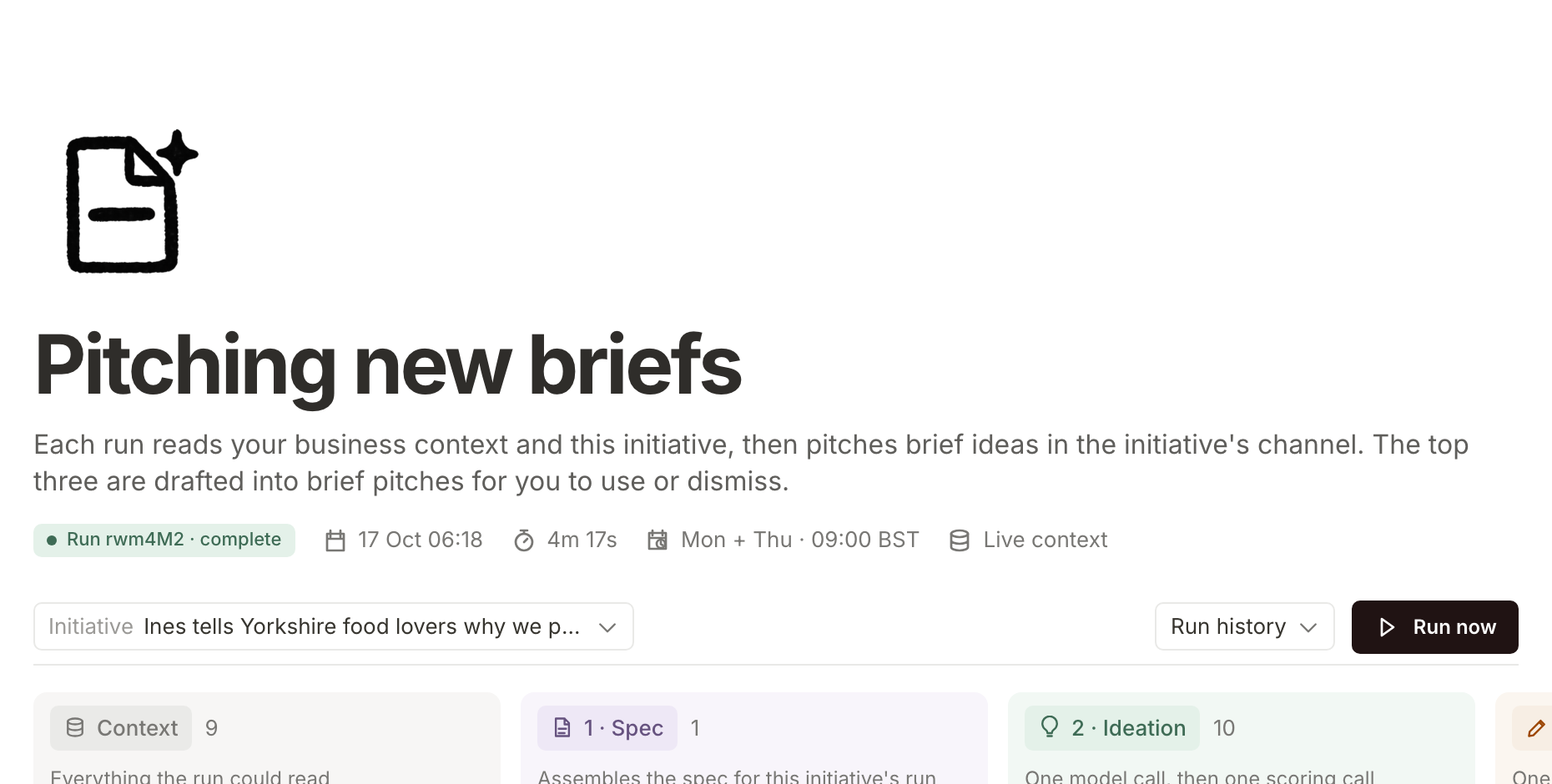
For a closer look at how pitches are made, open Manage brief pitching under the initiative's Details. Pitching new briefs shows each stage of the latest run, with Run history for earlier runs and Run now to start another.
What happens next
An accepted brief is a draft with open questions. Your team's answers are what make it specific to your business. Answer a brief's questions and update it shows how to answer them and fold them in.
Frequently asked questions
How many brief pitches arrive, and when?
Each run proposes up to three. Scheduled runs happen on Monday and Thursday mornings (from 9am in your property's timezone), on the first eight of those days each month, while the property is active. With one or two live initiatives, each gets pitches on every one of those mornings. With more, they take turns, one initiative a morning. An initiative that has not had a scheduled round yet goes first, oldest first, unless it already has brief pitches waiting for review or got some in the last three days.
Who gets the brief pitch email?
The property's owners and admins, unless they have stopped it with the link at the foot of the email.
Do brief pitches expire?
Yes. Like initiative pitches, a brief pitch nobody decides on expires after 30 days.
Can I accept or decline a brief pitch from ChatGPT or Claude?
Yes, once you have connected Mole Marketer to it. Tell the assistant your decision and it records it, the same as the buttons on the pitch. See use Mole Marketer from ChatGPT or Claude.
Why is Generate more greyed out?
It is greyed out while a run is already going for that initiative. It also needs a live initiative and a property that is not paused, with its business profile ready. Until then the button reads Generate pitches and cannot be pressed.