Answer a brief's questions and update it
Each brief asks for what only your team knows. How to answer well, fold the answers in, and keep your own edits safe.
On this page
The short version
 The short version
- Open Human in the loop on a brief and answer what only your team knows: an opinion, a story, a number you stand behind.
- Press Update brief to write your answers into the outline. Answered questions stay.
- Edit the outline yourself whenever you like. Once you have, later updates arrive as a suggestion you can use or ignore.
Mole Marketer builds every brief from your business context: your website and the sources you connect. That tells it what is true about Northfield Roasters. It cannot tell it what Ines believes about paying farmers early, which customer story Tom tells at the counter, or the line either of them would put their name to. The questions on each brief ask for exactly that, and your answers are what make the piece your team makes sound like your business rather than everyone else's. Of everything you do on a brief, this matters most.
Open the questions
Every brief opens with a Human in the loop panel. It starts closed so the brief itself leads, and its line says what it holds: how many things the draft could not decide for you, and Answer them before you hand the brief on. Open it to see the questions and how many you have answered so far.
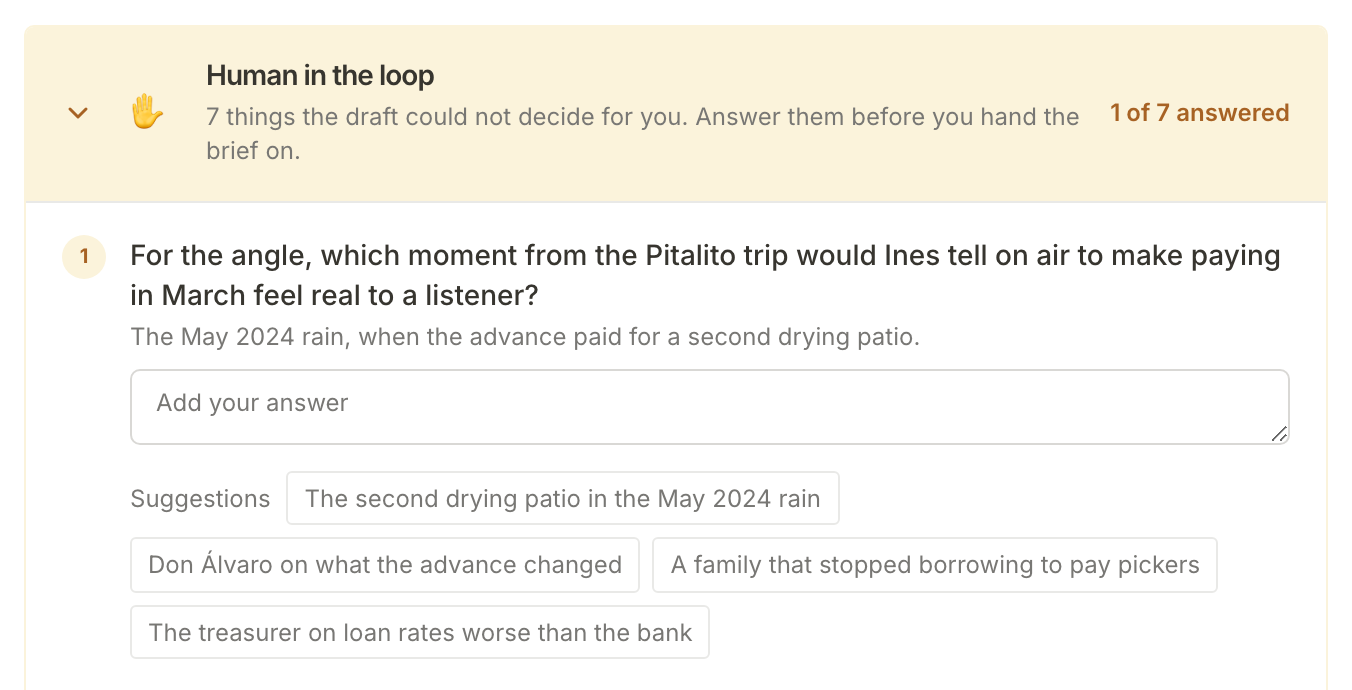
Each question names the part of the brief it is for ("For the angle, ..."). The grey line under it is what the brief has assumed for now. Leave a question unanswered and the brief keeps working from that assumption.
Answer with what only you know
A good answer is one nobody outside your business could write. Each question is after one of these:
- An opinion, where the field disagrees or where you disagree with what is already published.
- A first-hand example: a customer story, a mistake, a moment from the café or the farm.
- A number you will stand behind, and where it comes from.
- How you answer an objection a buyer really raises.
- A line you would put your name to as a quote.
The Huila podcast brief asked which line about paying farmers before the harvest Ines would sign. "We pay our farmers fairly" would have told the brief nothing it did not already know. Her answer gives a podcast host something to ask about, and in the first draft it became the quote on her one-sheet.
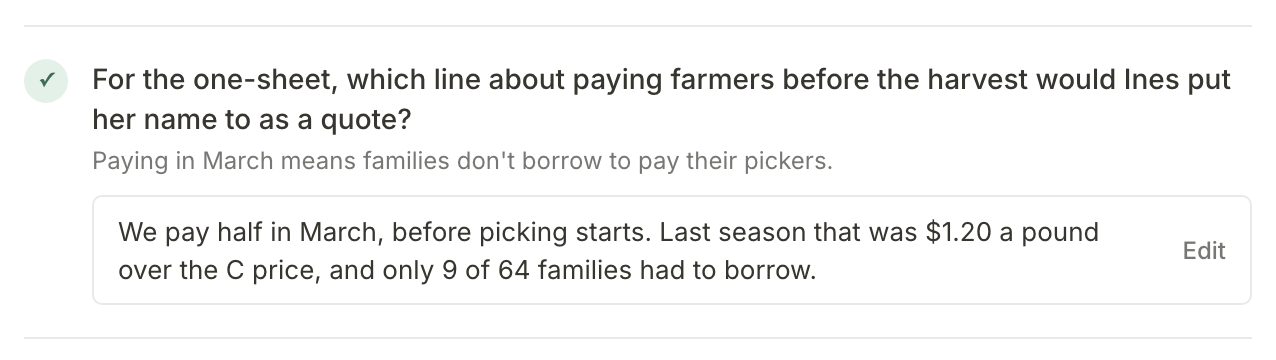
To answer, type in the box under a question. Answers save as you type: you will see Answers saved, and the count in the panel's header moves on. The Suggestions under a question are starting points; click one to put it in the box (it replaces anything typed there), then make it yours. General notes, at the foot of the panel, is for anything the brief should account for that no question asks about.
You do not have to answer everything, and you do not have to answer alone. Anyone who can open the property can answer, so send each question to whoever knows: Tom for the café, Ines for sourcing. An answered question shows its answer with Edit beside it, so you can change it later.
Press Update brief
When you have answered what you can, press Update brief at the foot of the panel. An update uses some of the property's monthly AI allowance. The outline then shows Generating brief while the pipeline rewrites the brief around your answers.
When it finishes:
- your answers are written into the outline;
- every answered question stays, with its answer;
- an unanswered question stays only if the updated brief still asks it, and new questions can join them, up to ten in all;
- the brief's sources are refreshed, and so are its scores when it came from a brief pitch.
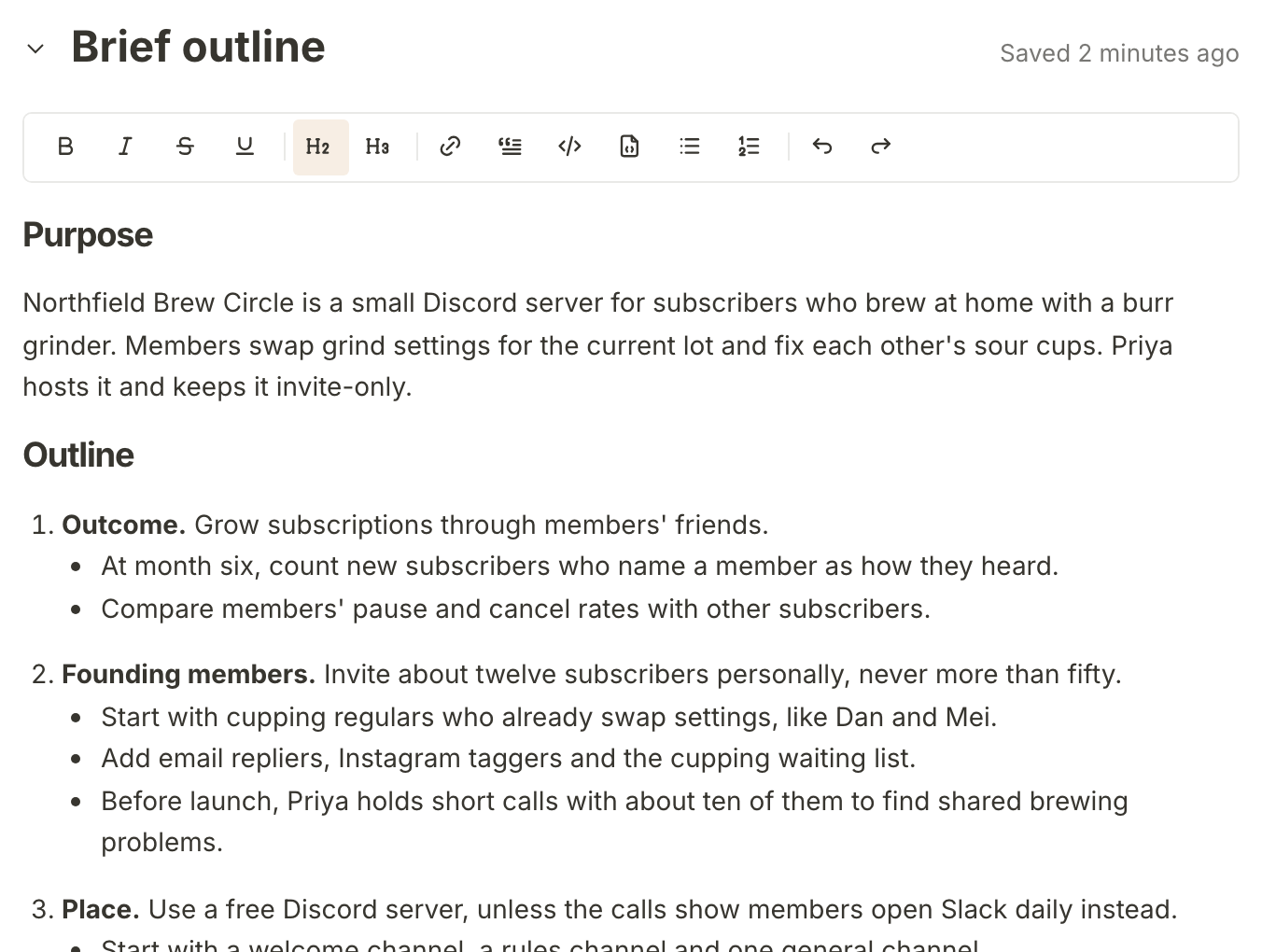
Here is the Brew Circle brief after an update. Asked which customers already swap grind settings, the answer was a story about two cupping regulars, Dan and Mei, comparing grinder clicks. The outline now starts its founding members with them.
Edit the outline yourself
The Brief outline is a document like any other: type in it, use the toolbar, and it saves as you go. The note under it says what that means: "Edits here are yours and will not be overwritten."
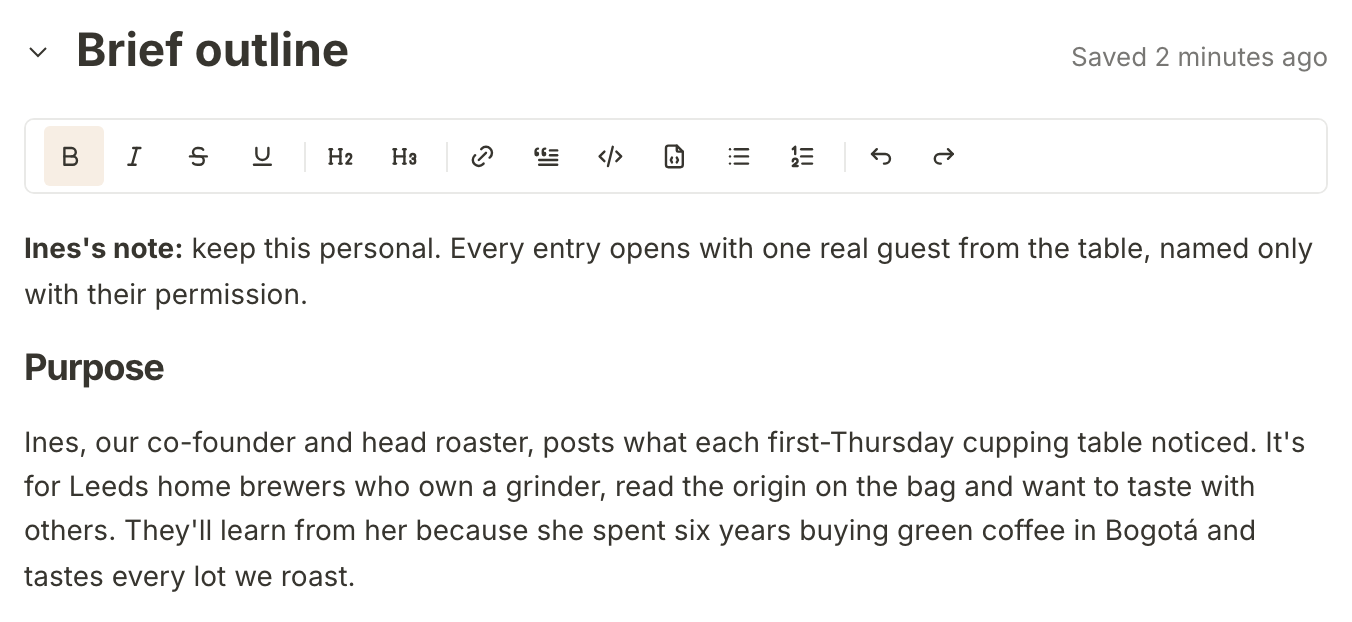
On the Cupping seat diary brief, someone added Ines's note to the top by hand: keep it personal, and name a guest only with their permission. No update will remove it.
Use or ignore a suggestion
Once the outline has been edited by hand, an update never replaces it. The updated outline arrives as a suggestion instead: Review update appears in the note under your outline, and below it a card headed Updated draft ready and Review the suggested outline.
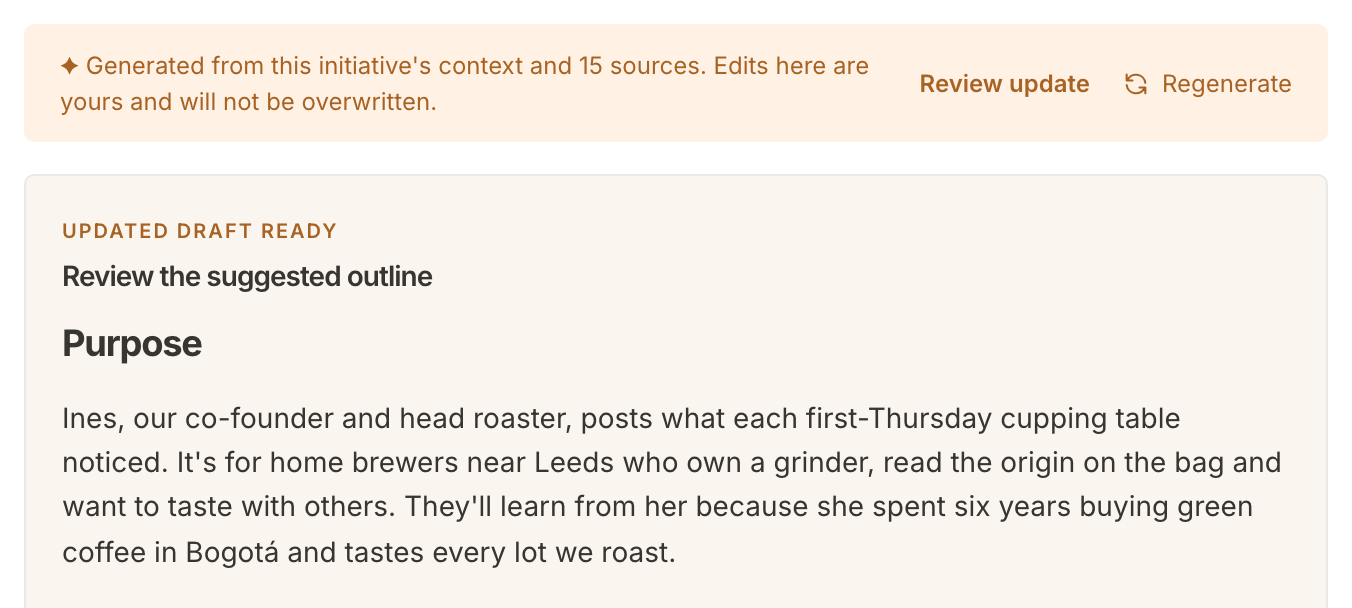
Read it against yours, then choose at the foot of the card:
- Use suggestion replaces your outline, hand edits and all, with the updated one, so copy anything you want to keep first.
- Keep my outline leaves yours as it is and throws the suggestion away.
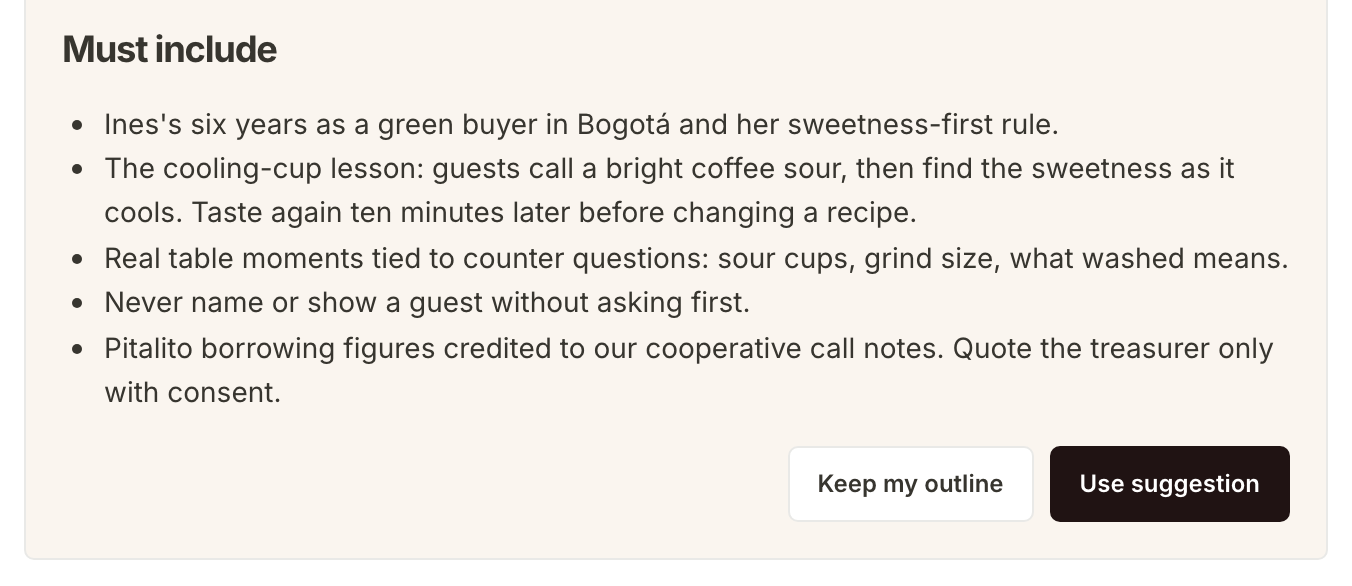
Either way, the questions and your answers have already been updated. And once an outline has been edited, every later update arrives this way, including after you use a suggestion.
What happens next
When the brief says what you want, mark it ready and hand it to whoever does the work: Hand a brief to whoever does the work. From a ready brief you can also ask for a first draft of the piece: Write a first draft from a brief.
Frequently asked questions
What happens to questions I skip?
They stay on the brief until the next update. After that, an unanswered question stays only if the updated brief still asks it. Answered questions are never dropped.
Why did my update not change the outline?
Because the outline had been edited by hand. The update is waiting as a suggestion under it: look for Review update.
Can anyone on the team answer?
Yes. Anyone who can open the property can answer questions, edit the outline and press Update brief.
What if the allowance has run out?
Update brief
stops working until the property's monthly allowance resets, and Mole Marketer tells you the date it does. Your answers still save as you type, ready for when it comes back.