Check where a brief's facts come from
Every brief keeps the sources it read and the numbers it could check. How to read the Supporting evidence page before you trust a claim.
On this page
The short version
 The short version
- Open Supporting evidence from the brief's Details, then View all.
- Read the three columns: what it read, what research found, and what is still not known.
- Close a gap by answering the brief's questions. Worth a few minutes before you hand a brief off.
Mole Marketer builds each brief from your own sources, keeps a record of what it read, and checks its numbers against those sources before the brief reaches you. When Priya is about to hand the wholesale brief to Tom, she wants to know where "around 30 independent cafés" came from before Tom puts it on the website. The Supporting evidence page is where she looks.
Open the evidence
At the foot of every brief is Details, with Supporting evidence inside it: "The documents this brief cites." The first four are listed, each with where it came from (your website, Mole Marketer analytics, a connected source or research), and the rest are counted below them. Press View all, or any document, to open the full page.
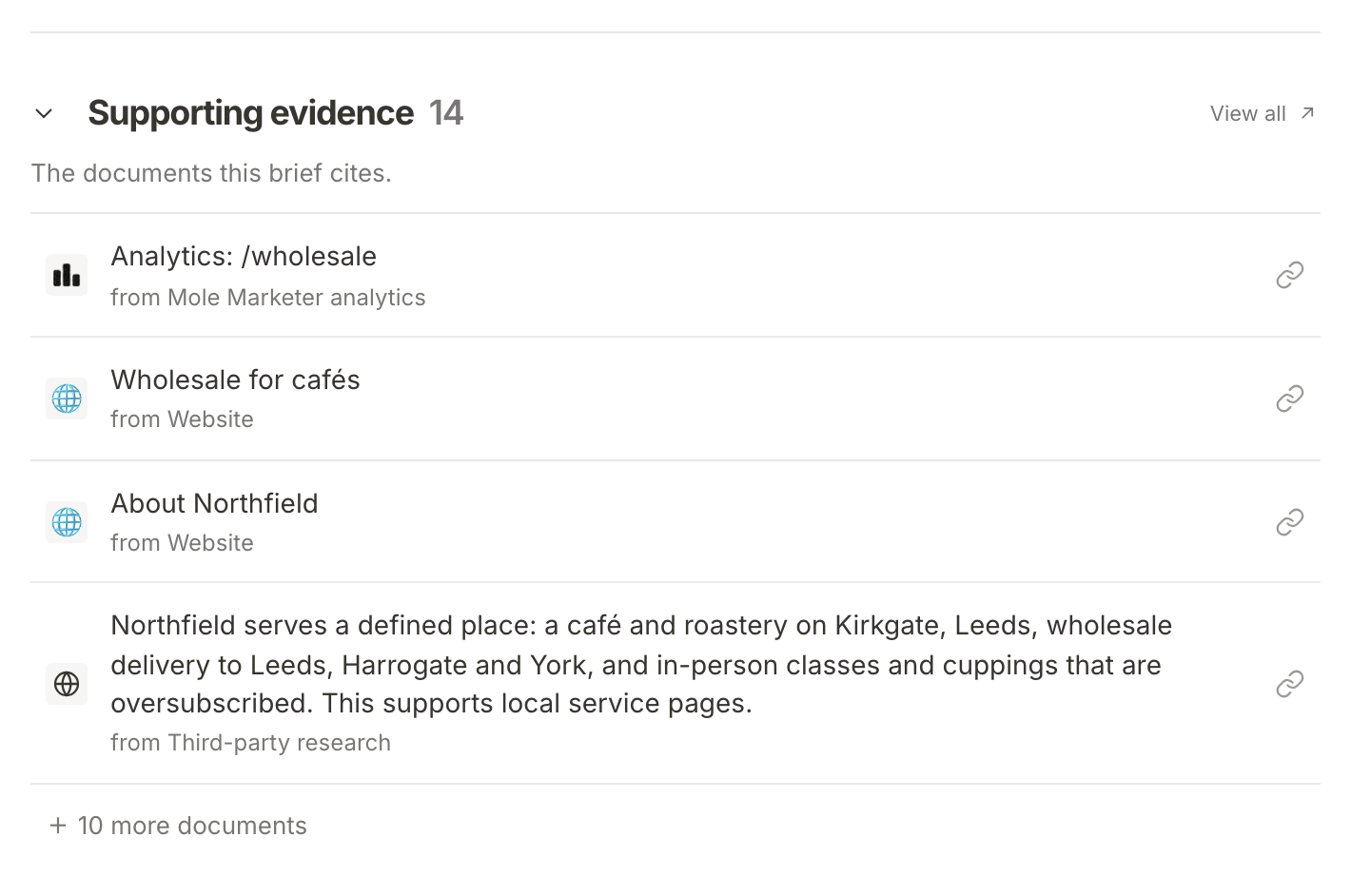
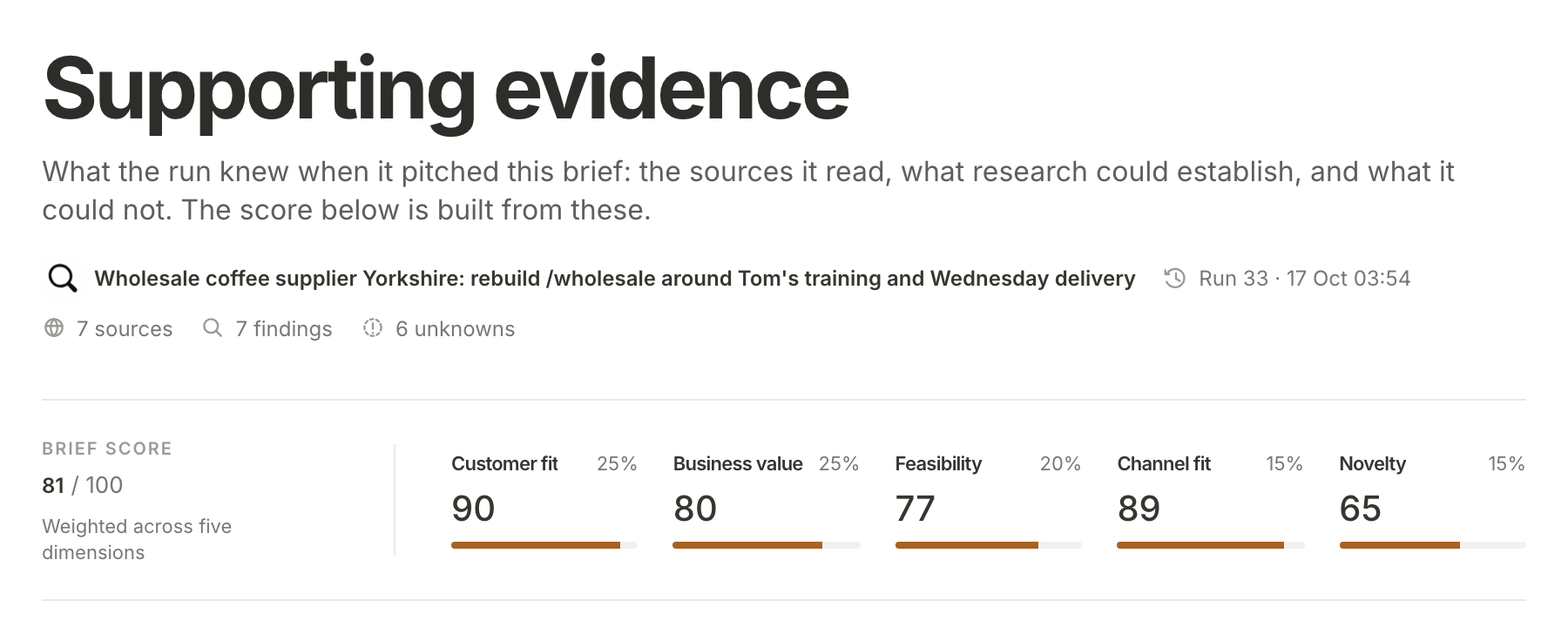
The top of the page says which run made the brief and when, and counts its sources, findings and unknowns. For a brief that came from a pitch, the Brief score sits under it: the composite out of 100 and the five scores behind it, each with its weight.
Read what it read
The first column, What it read, is everything the run was given about your business. It starts with the Business profile: the business summary, positioning and ideal customer from your Context page. Owners and admins see Edit beside it, which opens Context. Under the profile is each source the run read, such as Northfield's Wholesale for cafés page, with a link to open the original.
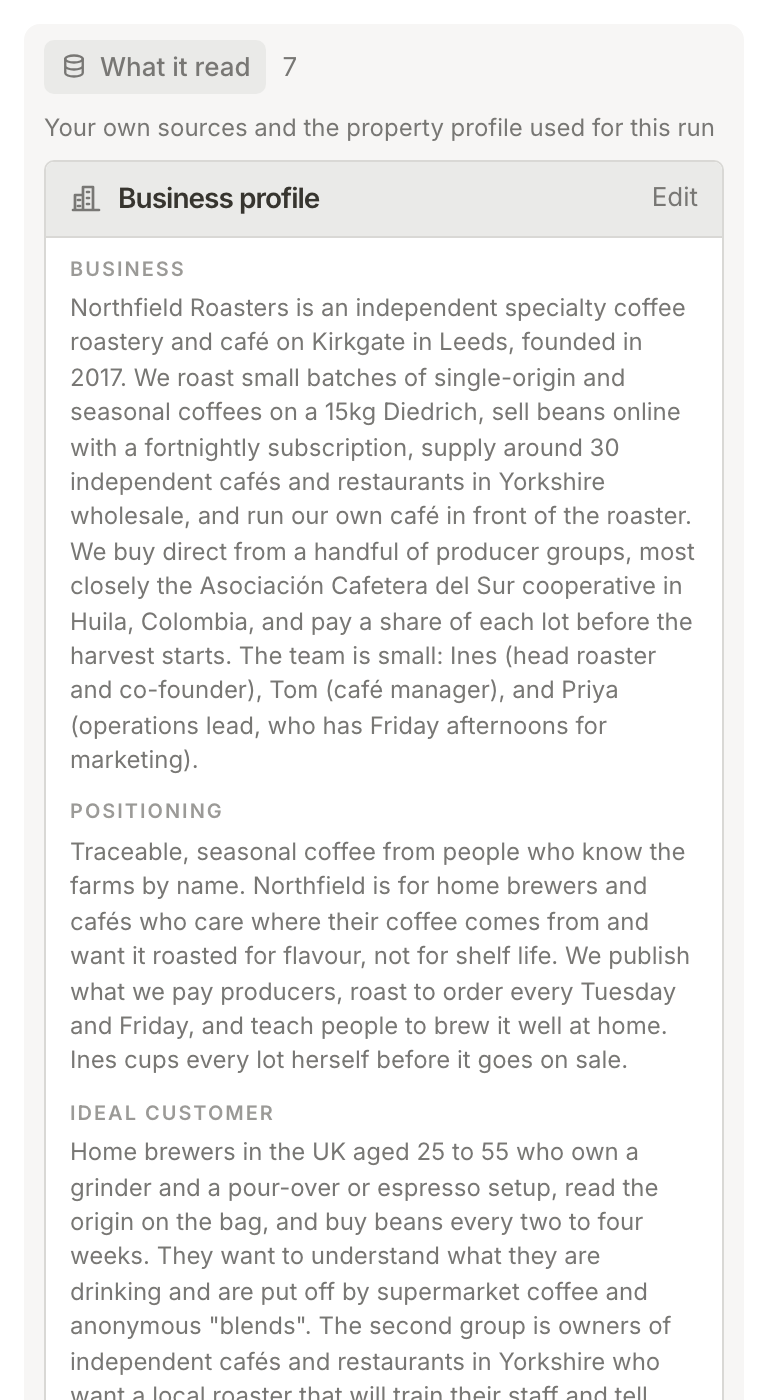
If something here is out of date, the brief will be too. Fix the profile on your Context page and later runs read the new version. Give Mole Marketer your business context covers what you can connect.
See what research found
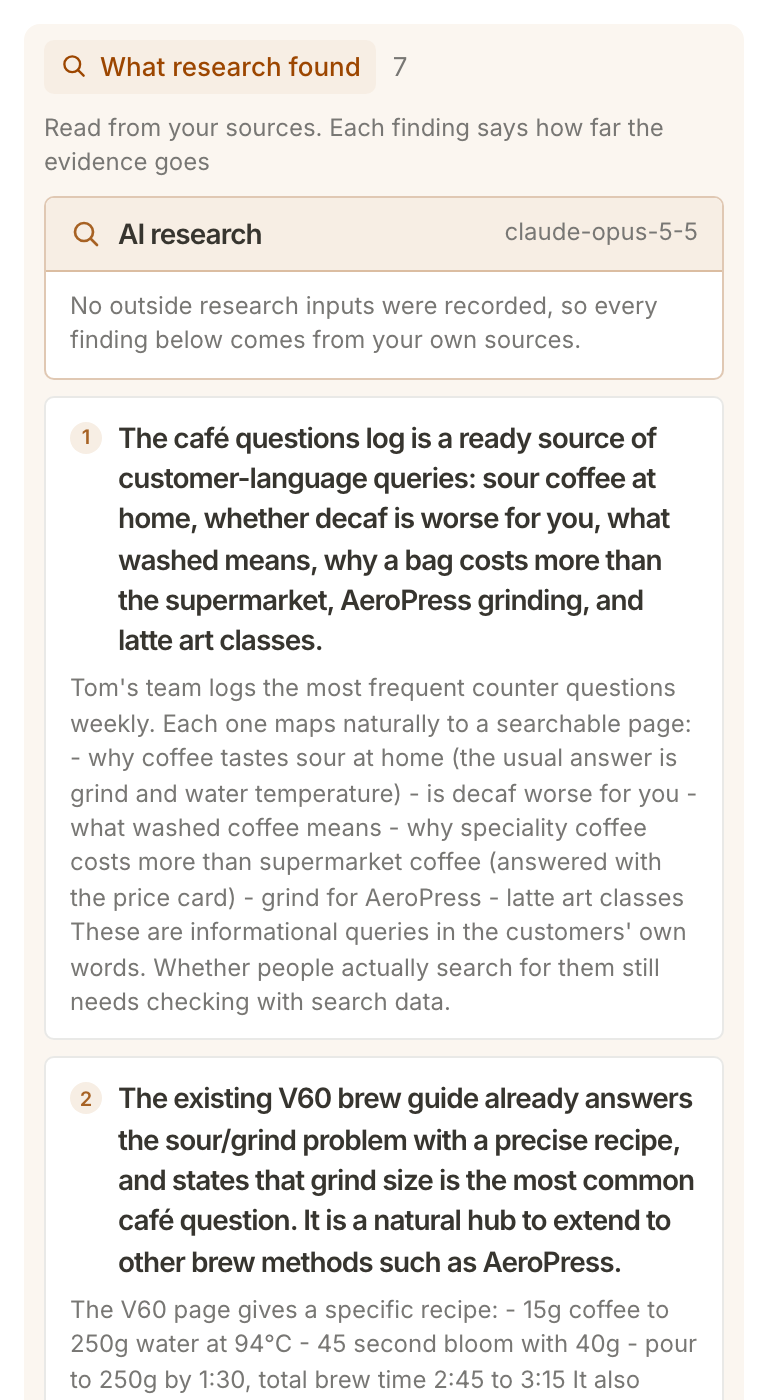
The second column, What research found, is what the run could establish from those sources. AI research names the model that did the reading. Each finding below it is numbered: a bold claim, then the detail behind it and how far the evidence goes. On the wholesale brief, finding 1 is that the café questions log already holds the questions customers ask at the counter, and it adds that whether people search for them "still needs checking with search data".
Under the findings, query runs lists the questions research asked, and runs lists each step of the run.
Check the numbers
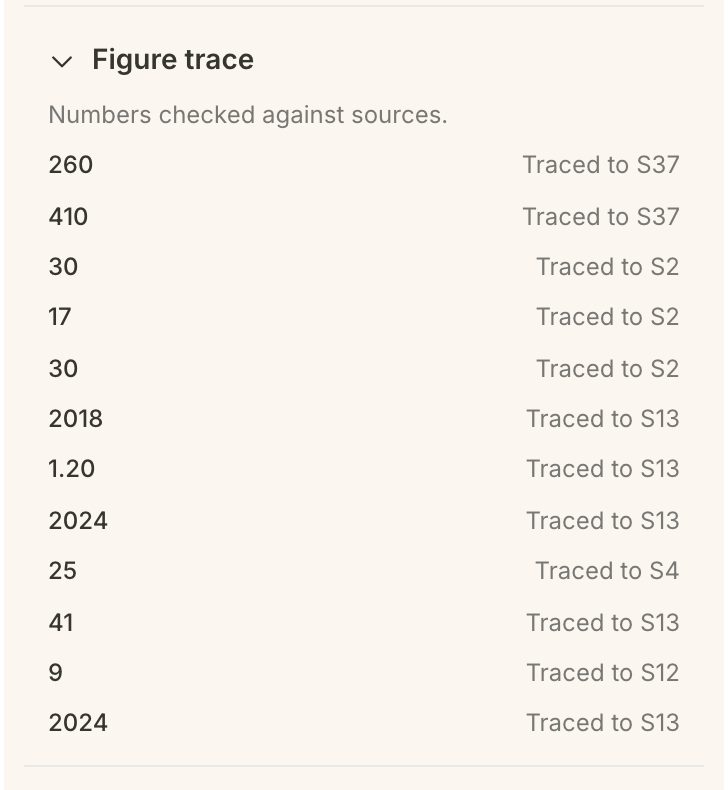
Figure trace is the list of every number in the brief beside the source it was found in: "Numbers checked against sources." A number that could not be traced to your sources is not passed on to you. It is taken out, and where it stood the brief's title, questions or pitch text say figure removed, linking back to this list.
Check what is still unknown
The third column, Not yet known, starts with the brief's questions, the things only your team can answer. Each one you have answered shows as Question 1 answered, with Your answer and a link to Edit on the brief. Each open one shows what the brief assumed for now, with Open on the brief. On the Brew Circle brief, a story about two regulars comparing grinder clicks has already answered the first question.
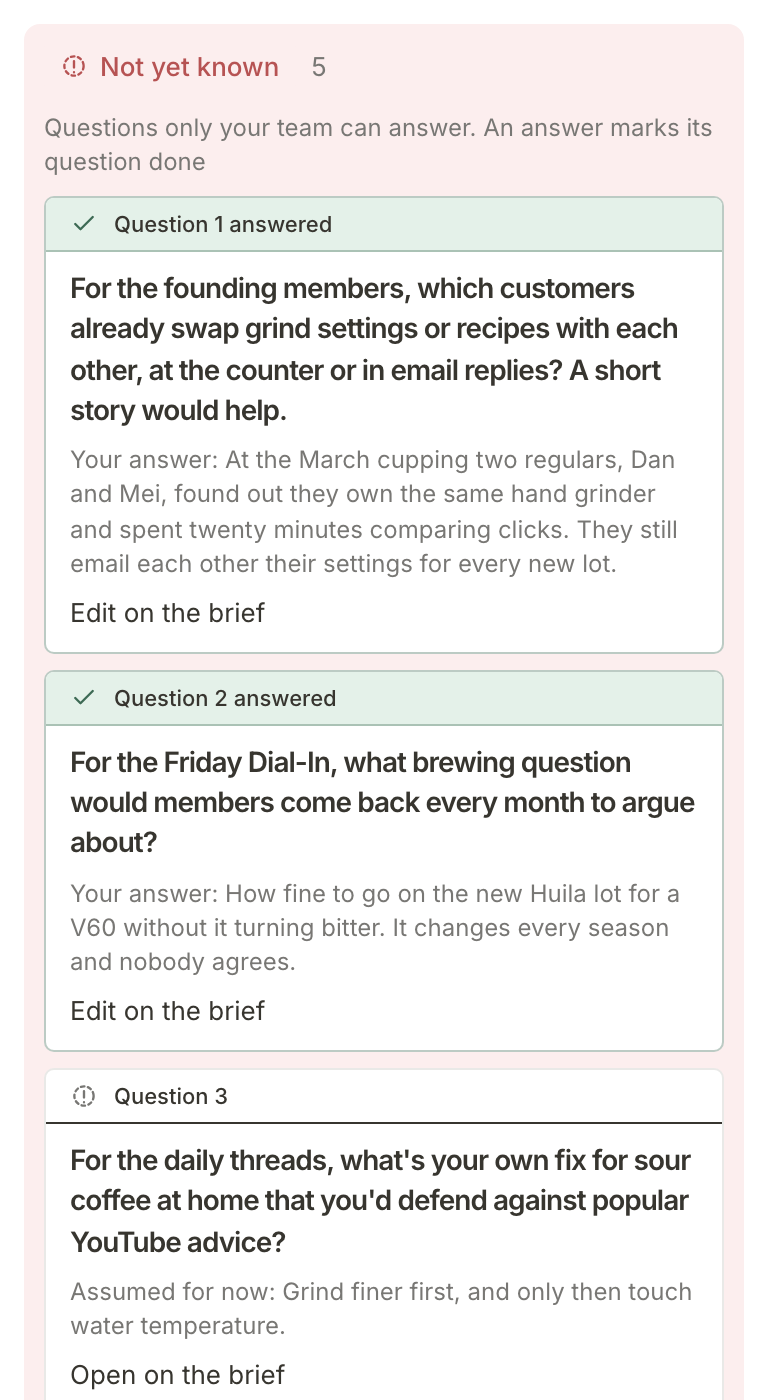
The count at the top of the column is the number of questions still open. Below the questions are the Research gap cards: things the run looked for and could not find in your sources, such as who can publish to the website or when results are needed. Once every question is answered, the gaps turn green, because your answers have settled what they were asking.
Close a gap
At the foot of the column, Add context takes you back to the brief's Human in the loop questions. Team members who cannot manage the property see View context in its place, which goes to the same questions. Answer them and press Update brief, as Answer your team's questions and update a brief shows.
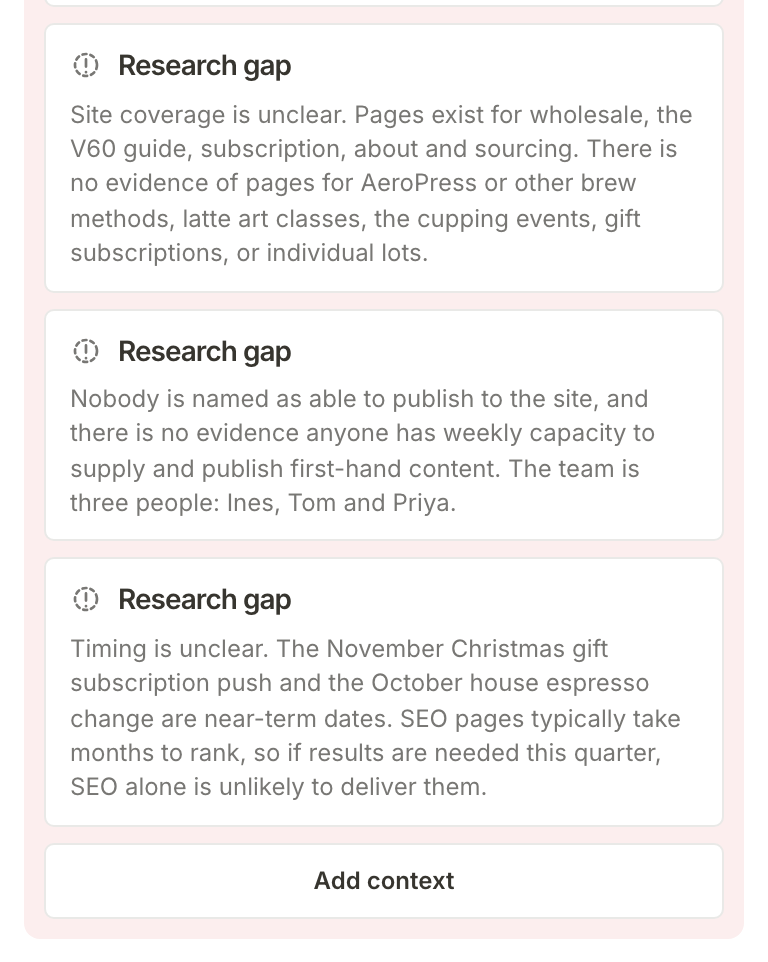
A gap about your business itself (no reviews supplied, no page for an event) is closed at the source instead: connect it or write it into your Context page, and the next pitch and brief read it.
What happens next
Once the facts check out, hand the brief to whoever does the work, or write a first draft from it first.
Frequently asked questions
What does "figure removed" mean?
A number in the pitch could not be traced to any of your sources, so it was taken out rather than passed on as fact. If the number is right, put it in an answer to one of the brief's questions, or into a source, so the next update can use it.
Where do the scores come from?
Five dimensions with fixed weights: customer fit 25%, business value 25%, feasibility 20%, channel fit 15% and novelty 15%. The composite is the weighted total out of 100. See how a pitch is researched and scored explains each one.
Why does my brief have no score or figure trace?
Both come from the pitch a brief was accepted from. A brief you started yourself, or an adaptation of another brief, was not pitched, so its page lists the sources attached to it and what is not yet known, without a score or a figure trace.