See how a pitch is researched and scored
Open the pitching boards to see what a run read, which ideas it weighed, how it scored them and why the winners became pitches.
On this page
The short version
 The short version
- Manage Initiative Pitching and Manage Brief Pitching open a board for each kind of run.
- Read a board left to right: what the run read, the spec, the ideas and their scores, then the pitches.
- Every idea is scored on the same five things with fixed weights. Pick an older run from Run history to compare.
Every pitch Mole Marketer sends you comes out of a run: a fixed sequence of steps that reads your business, comes up with ideas, scores them and writes the best ones up. When Priya at Northfield Roasters wonders why this week's pitches are about email and the café bags, the board for that run shows her which marketing channels were drawn, every idea weighed and the score that decided it.
Open a board
In the sidebar under Marketing, choose Manage Initiative Pitching to open Pitching new initiatives. Manage Brief Pitching opens Pitching new briefs, the same board for one live initiative, chosen from the Initiative menu at its top left.
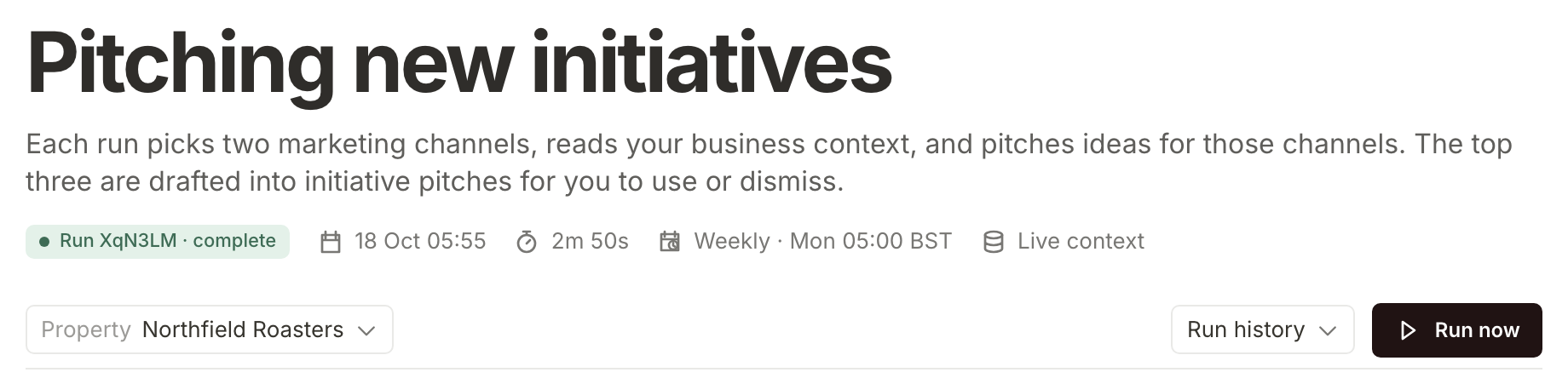
The line under the title describes the run on show: whether it is complete, when it started, how long it took, its schedule, with the time in your property's timezone (for Northfield in October, Weekly · Mon 05:00 BST on the initiative board and Mon + Thu · 09:00 BST on a brief board) and Live context, because each run reads your business context as it stands that day. Run now starts a new run straight away; see Ask for new initiative pitches now.
Read what the run read
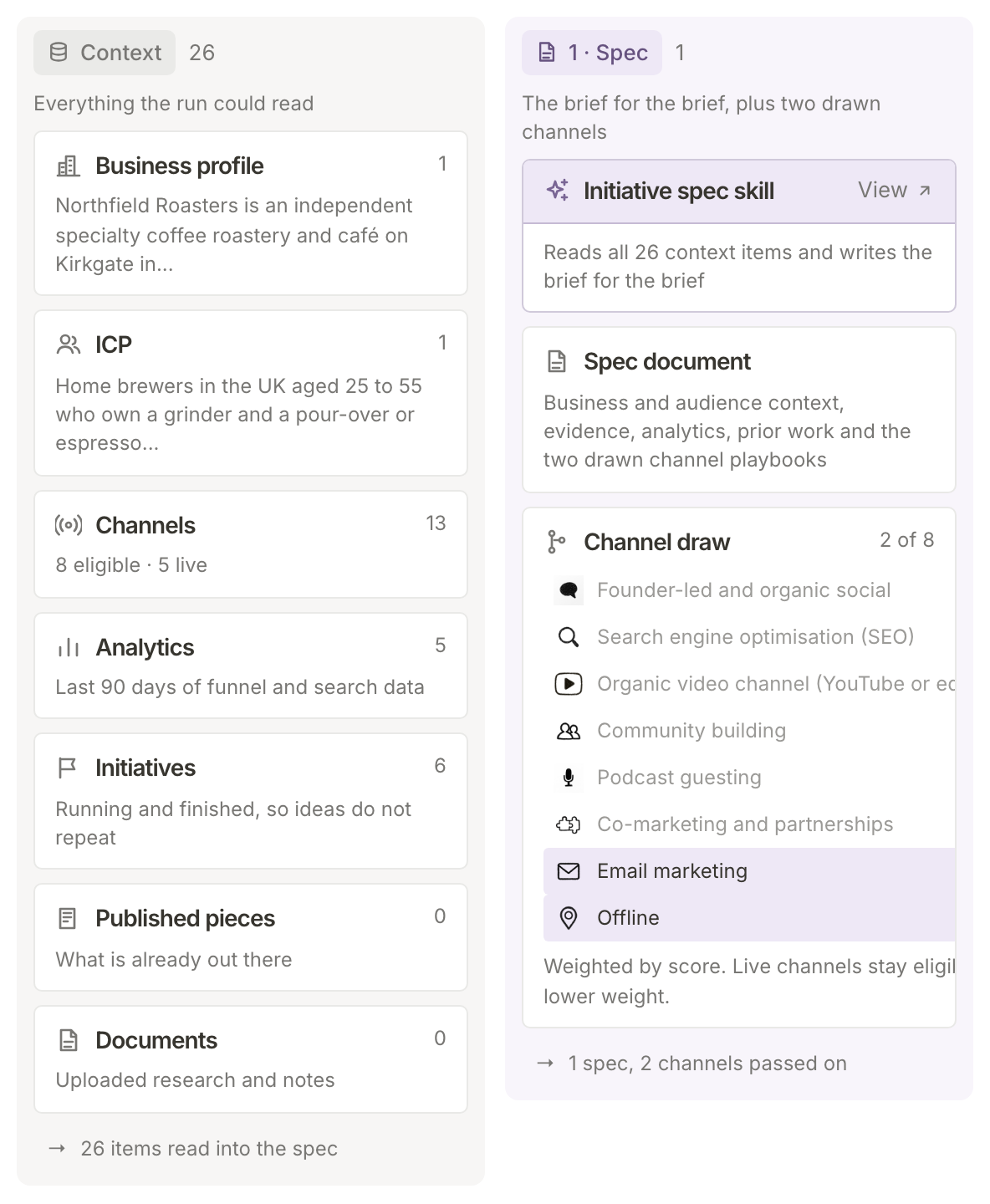
The first column, Context, is Everything the run could read: your business profile, your ideal customer (ICP), how each marketing channel scores for you, the last 90 days of your analytics, the initiatives you already have (so ideas do not repeat), and any published pieces and documents you have connected.
Read the spec and the channel draw
1 · Spec is the research step. The spec skill reads every context item and writes the Spec document, the brief for the brief: your business and audience, the evidence, the analytics and your prior work. Research also reads your documents and published pieces and notes findings, each of which has to point back to one of your own sources.
On the initiative board, the spec draws two marketing channels to pitch for. Channel draw lists the channels that fit your business and highlights the two picked. It is Weighted by score, so better-fitting channels come up more often, and channels you already run stay in the draw at a lower weight.
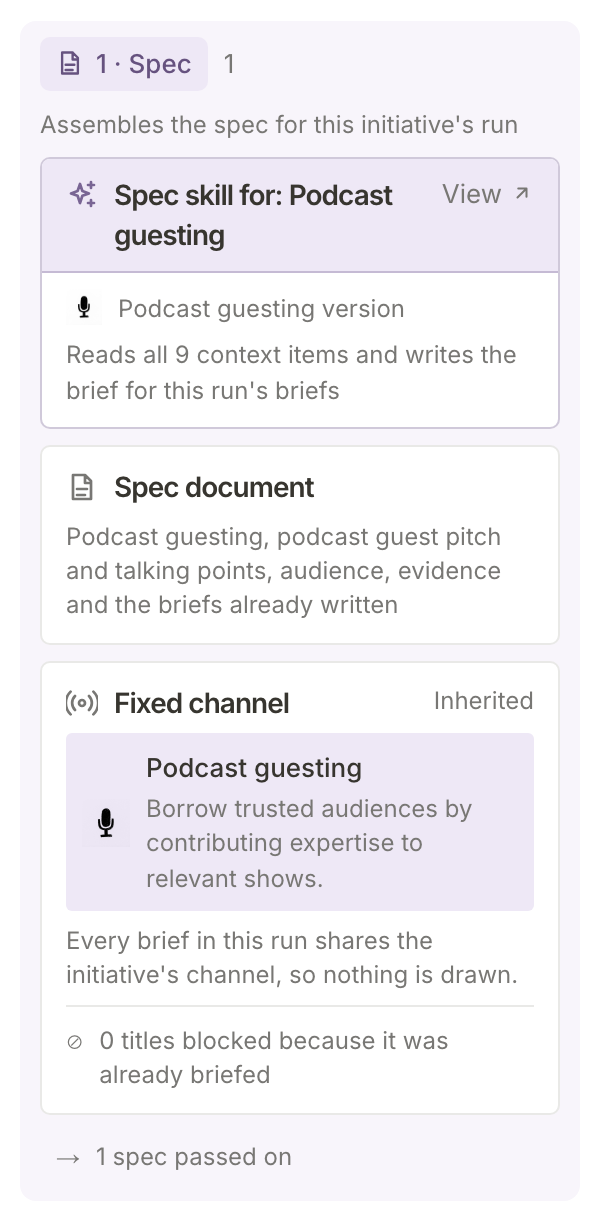
A brief board has no draw: every brief belongs to its initiative's channel, shown as Fixed channel, Inherited.
See how the ideas were scored
2 · Ideation comes up with ideas from the spec, then scores each one. The Scoring prompt card shows the five things every idea is judged on and how much each counts:
| Dimension | Weight | The question |
|---|---|---|
| Customer fit | 25 | How well does it match your ideal customer's real problem? |
| Business value | 25 | How likely is it to bring meaningful value to the business? |
| Feasibility | 20 | How practical is it for you to do well? |
| Channel fit | 15 | How natively does it use the marketing channel? |
| Novelty | 15 | How different is it from what you have published or been pitched? |
Each idea is rated on each question as weak, limited, strong or exceptional, which becomes a score out of 100; the weighted total is the idea's score. Scoring is a step of its own: a skill writes ideas and never sees a score or a weight.
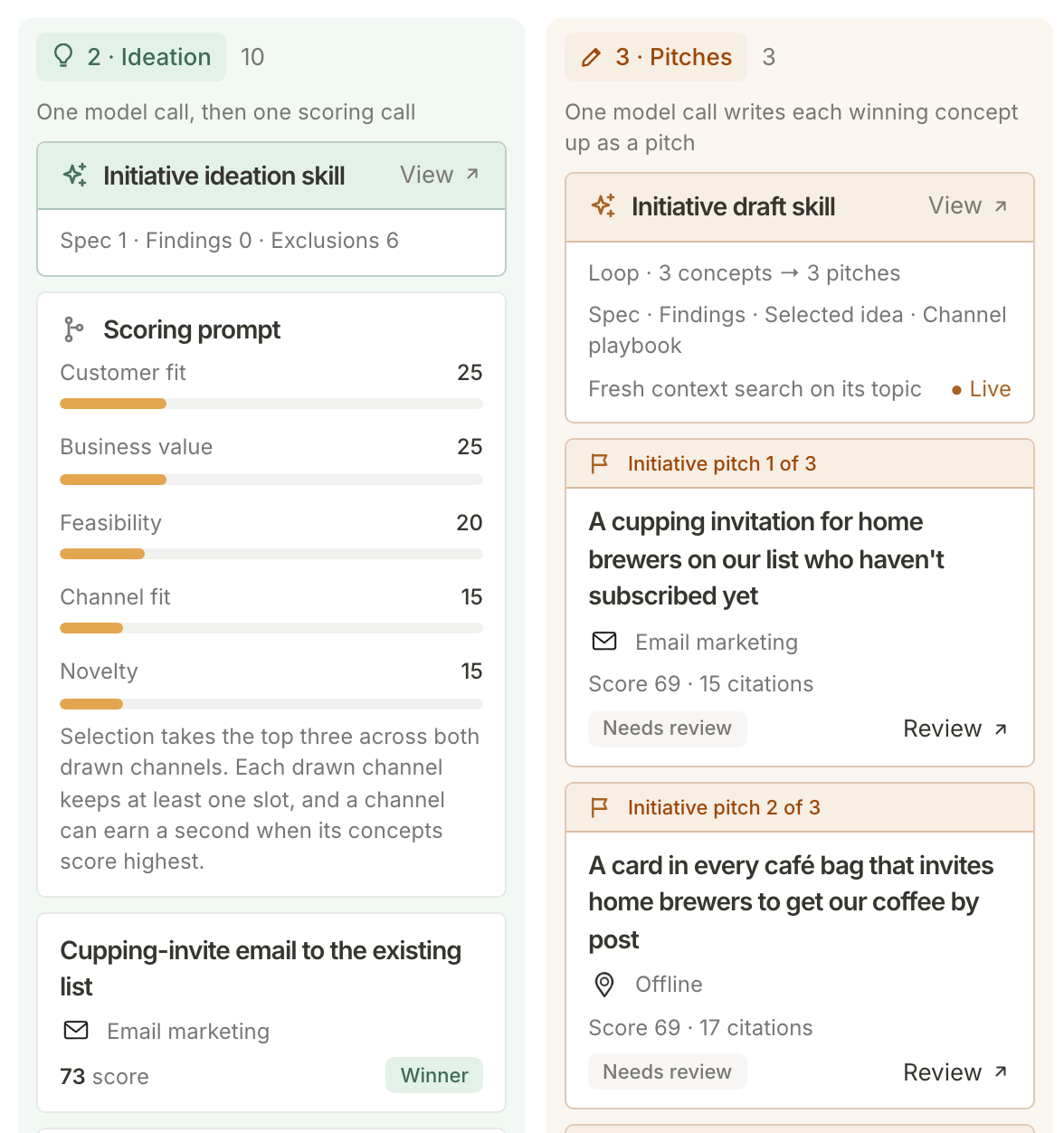
The rule under the weights says which ideas go on. For initiatives it is the top three across both drawn channels, each channel keeping at least one place; for briefs, simply the top three. Winners are marked Winner, and cut concepts (cut ideas on a brief board) lists the rest with their scores.
Follow the winners into pitches
The last column, 3 · Pitches on the initiative board and 3 · Draft on a brief board, writes each winner up, after a fresh search of your context on that idea's topic. Every draft then has to pass four checks before it becomes a pitch:
- Scrub. Em dashes are taken out and the draft is checked against a list of overused phrases. A draft with one is rewritten once; if the phrase is still there, the draft is dropped.
- Numeric-claim tracing. Every number is looked for in your own sources. A number that cannot be found is taken out.
- Citation. Every citation has to point at one of your property's own sources, or the draft is stopped.
- Scoring. The finished draft is scored again on the same five things. That is the score on the pitch.
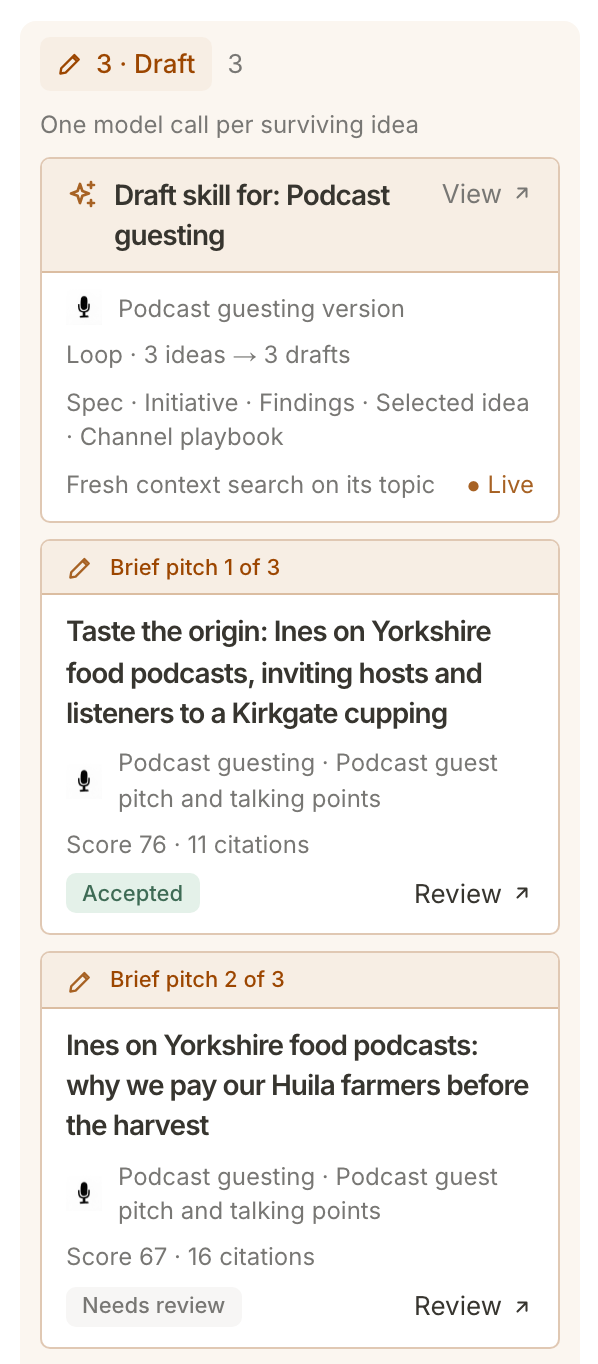
Each card shows its score, its citations and where it stands: Needs review, Accepted, Declined or Expired. Review opens the pitch. To trace its figures and citations back to their sources, see Check where a brief's facts come from.
Compare with an earlier run
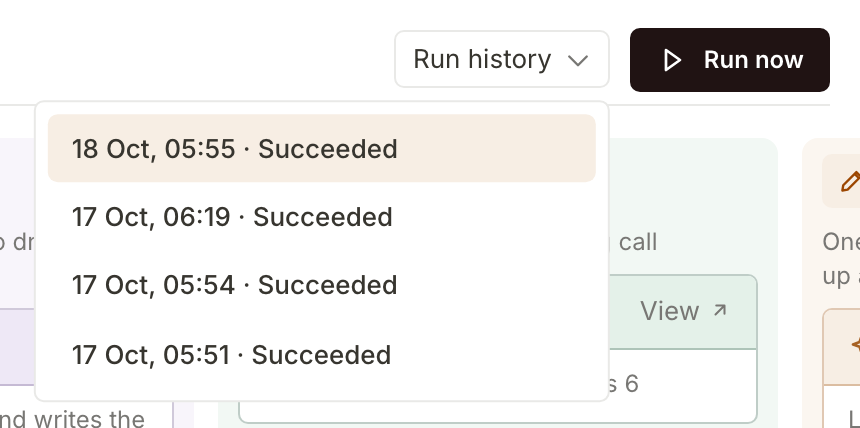
Run history, beside Run now, lists the board's last 12 runs by date, time and outcome. Choose one and the board redraws as that run saw things: its context, its draw, its ideas and its pitches. A board with no finished run says No completed runs yet.
What happens next
The steps and weights are the same for every business. What you can shape is the skills, the instructions each step follows for a marketing channel: Tune the skills behind each marketing channel.
Frequently asked questions
Can I change the weights or the steps?
No. The steps, the scoring questions and their weights are fixed, so every run is judged the same way. You can edit the skills, and View on a step's skill card opens that step's skill.
Which AI model ran it?
Every run records the model it used. A pitch's Supporting evidence page names the model that did its research, and Choose AI models and keep an eye on your allowance shows each role's model.
Why did a run make fewer than three pitches?
A draft that fails a check is not published. If no draft passes, the run is marked as failed and the board says why.
Does a run use the allowance?
Yes, every run draws on the property's monthly AI allowance. Scheduled runs happen while the property is active.