Choose AI models and keep an eye on your allowance
Pick which models do the research and writing for each property, and see how much of this month's AI allowance is used.
On this page
The short version
 The short version
- AI Models and Allowance, under Properties in the sidebar, shows each role's model and this month's allowance as a percentage.
- Owners and admins can switch the Main and Light roles between Claude and OpenAI, for each property.
- When the allowance runs out, AI work pauses until it resets on the 1st of the month.
Every property has a monthly AI allowance and a set of AI models that do its work. You do not have to change anything: Mole Marketer starts every property on Claude, and the weekly initiative pitches, the twice-weekly brief pitches and the work you ask for in between all draw on the same allowance. This page is where to look when you want to know how much of the month is left, or when your team would rather use OpenAI. At Northfield Roasters, Priya glances at it after a week of first drafts.
Open the page
The quickest view is at the foot of the Marketing page. Models and allowance lists the model behind each role, when it last ran, and the month's allowance as a percentage with its reset date.
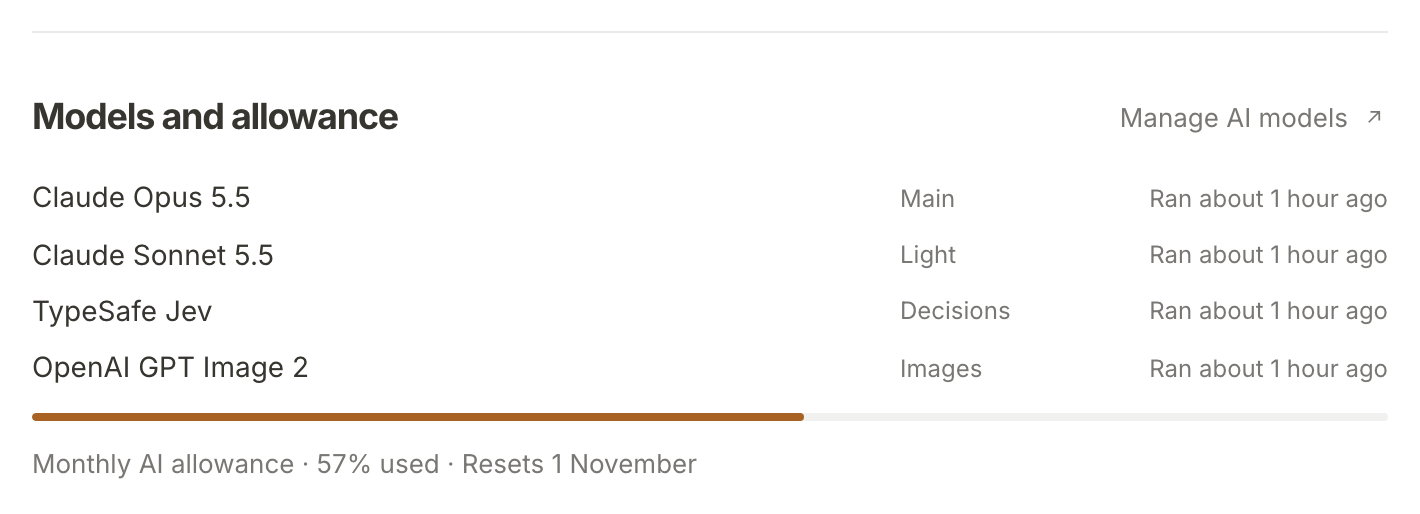
Manage AI models opens the full page, AI models and allowance. You can also reach it from the sidebar: under Properties, choose AI Models and Allowance.
Read the allowance
Monthly allowance shows how much of this month's allowance the property has used, as a percentage, and the date it Resets: the 1st of next month.
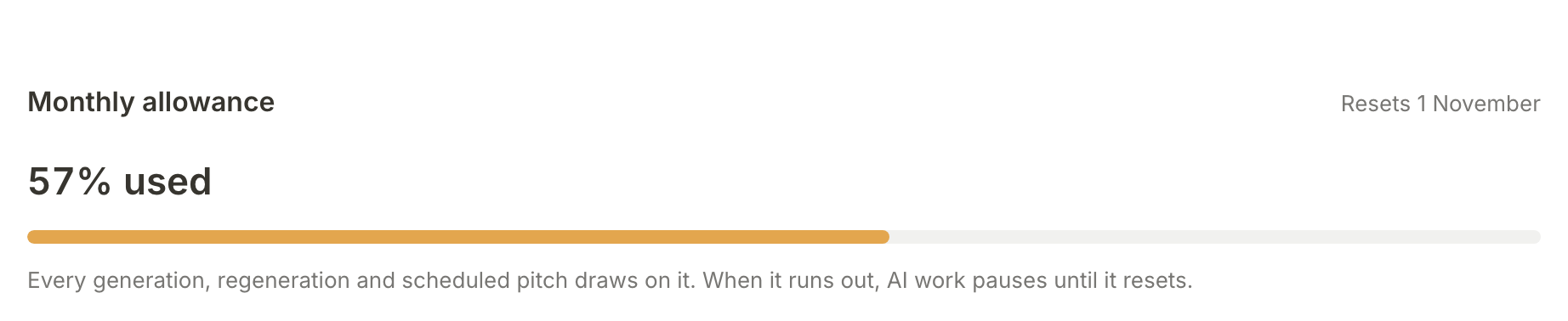
"Every generation, regeneration and scheduled pitch draws on it." That includes the scheduled initiative and brief pitches, the scoring of your marketing channels, Run now on a pitching board, Update brief, first drafts, featured images and the small drawn icons beside each initiative and brief, and the drafts of your business context. Each property has its own allowance, so a busy month on one does not touch another.
When the allowance is used up, AI work on that property pauses until the reset date. A run that needs more than what is left is refused, so this can happen a little before the figure reaches 100%. The page then says "This property has used this month's AI allowance. Generate and Regenerate are available again on" the reset date. The Marketing page shows an AI allowance used note with the same date, and a pitching board shows an Allowance used notice when a run is refused. Nothing you have already made is affected, and you can still read, edit, answer and hand off briefs.
Switch a model
Models lists the four roles. Two can be switched, for each property:
- Main, Research and drafts: Claude Opus 5.5 or OpenAI Sol.
- Light, Ideation, scrubs and profile drafts: Claude Sonnet 5.5 or OpenAI Luna.
Two are fixed: Decisions (Channel and idea scoring, on TypeSafe Jev) and Images (Featured and brief images, on OpenAI GPT Image 2).
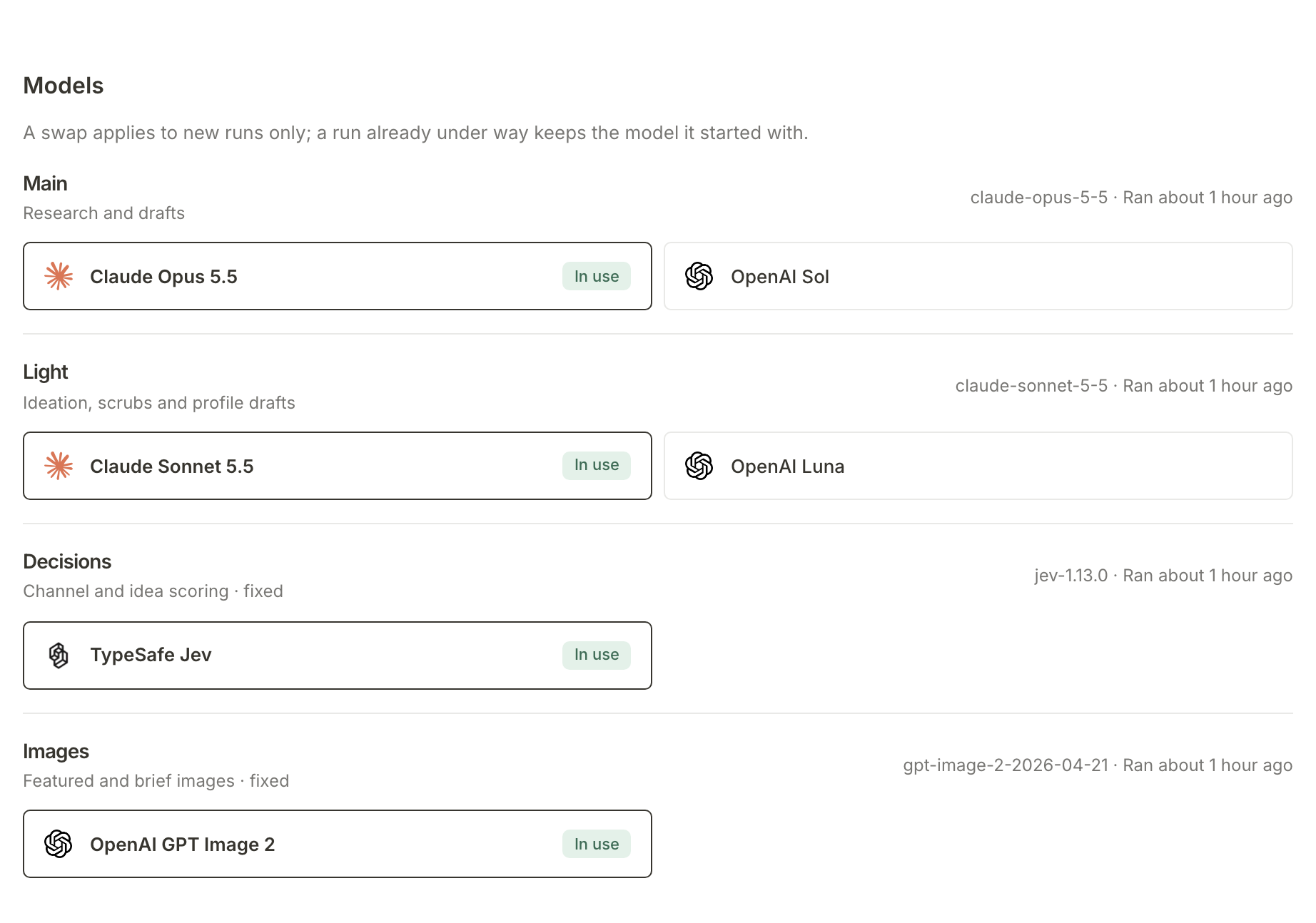
The model in use is outlined and marked In use. Beside each role is the exact model that last answered and when it ran, or Hasn't run yet for a model the property has not used.
To switch, press the other model. The page reloads with it In use and a note such as "Main model set to OpenAI Sol." Press the first one again to switch back.
"A swap applies to new runs only; a run already under way keeps the model it started with." Every run records the model it used, so switching never changes a run that has already started or finished.
What happens next
The models follow the same steps and skills whichever you choose. To see those steps run by run, read See how a pitch is researched and scored. To shape what the skills ask for, read Tune the skills behind each marketing channel.
Frequently asked questions
Who can switch models?
Owners and admins of the organisation. Anyone else the property is shared with sees the same page without the switches, and a line saying "Only owners and admins of" the organisation "can change models."
Does the trial's guaranteed run count against the allowance?
During the trial, the guaranteed first initiative run and first brief run go ahead even if the allowance would otherwise refuse them.
Which model should I choose?
Either pair does every step, and both follow the same skills and checks. Claude is the default. If you try OpenAI, compare a few pitches and drafts before deciding; you can switch back at any time.
Where can I see which model made a pitch?
Each run keeps a record of its model. A pitch's Supporting evidence page names the model that did its research, and this page shows when each model last ran.