See what traffic an initiative brings
Every initiative has its own tracked link. Use it wherever the work points back to your site, then see its visits and conversions in Analytics.
On this page
The short version
 The short version
- Copy the initiative's tracked link and use it everywhere the work points back to your site.
- The initiative's page counts the visitors it brought and how many of them converted.
- Browse opens Funnel Analytics filtered to that initiative, step by step.
Marketing that nobody measures soon feels pointless. Mole Marketer gives every initiative its own tracked link, so you can see what each piece of work actually sent to your site. The link carries UTM tags: short labels added to the end of a web address that tell Funnel Analytics which piece of work sent the visitor. You never have to write them yourself. At Northfield Roasters, Tom puts the grinder evening's tracked link on every event listing, and the initiative's page shows how many people came from it and how many went on to subscribe.
Before you start
Funnel Analytics counts visits once its tracking tag is on your site. If it is not there yet, see Install the tracking tag on your site.
Copy the tracked link
Open the initiative and scroll to Details, then Conversion link. Destination is the page the link sends people to, which starts as your website's home page. Press Copy tracked link to copy the full link, tags and all. Open tries it in a new tab. Source names the marketing channel the link is counted under; the tag itself is in the link and in the line under the buttons.
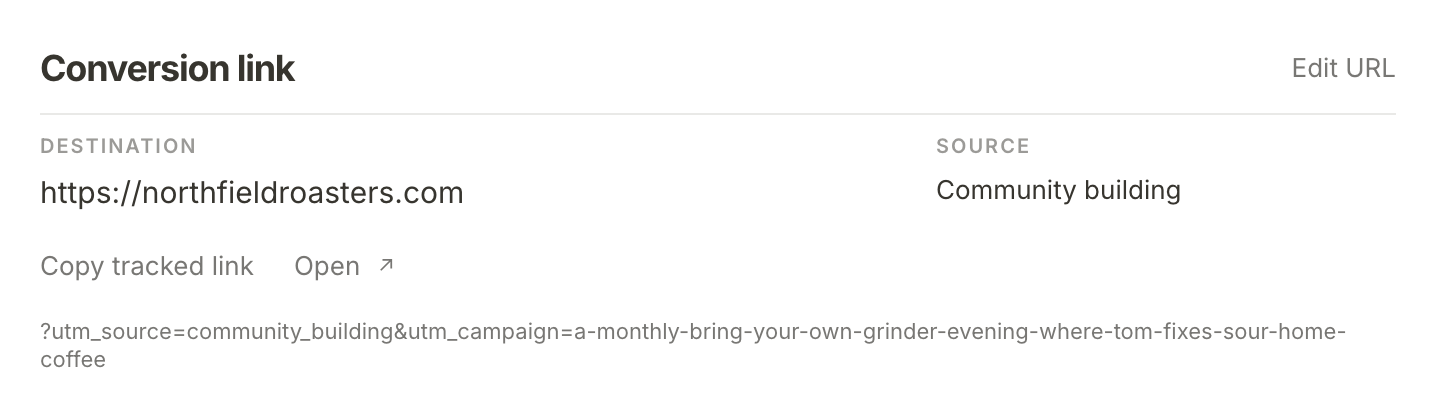
The line under the buttons shows the tags the link adds. One names the marketing channel and the other names the initiative, so two initiatives in the same channel are still counted apart. The tags are fixed when the initiative is created, so a link you shared months ago keeps counting.
If the work should send people somewhere more specific, such as an event page or a subscription page, press Edit URL, paste the page's address into Destination URL and press Save URL. The tracked link updates to point there, with the same tags.
Use it everywhere the work points to your site
Put the tracked link anywhere this initiative sends people to your site: an event listing, a podcast's show notes, a bio, a newsletter, a printed QR code. For the grinder evening, Tom uses it on the event listing.
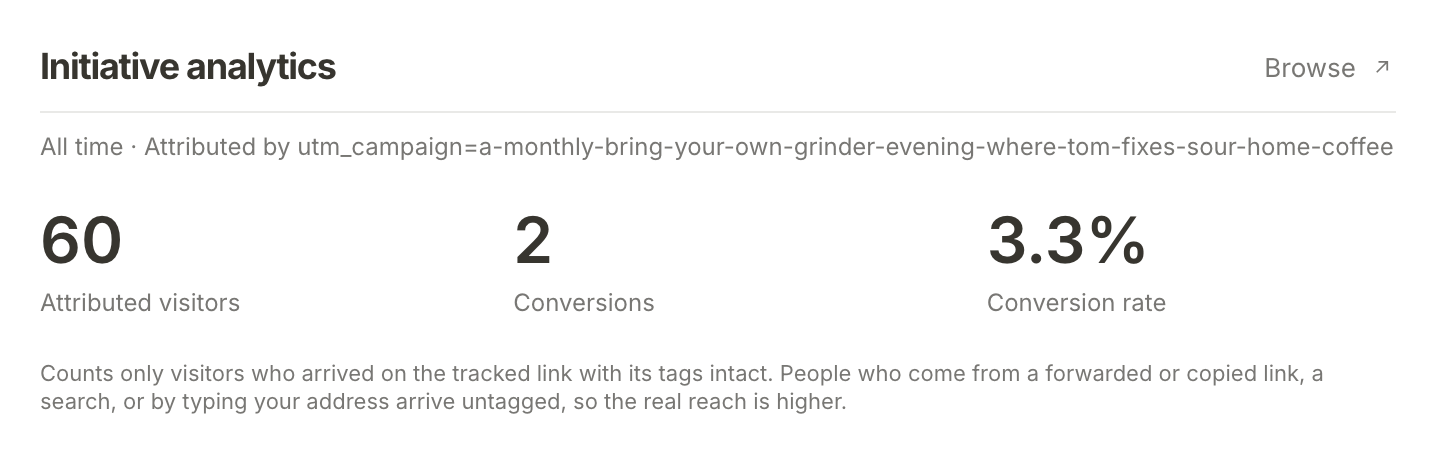
Only visitors who arrive on the link with its tags intact can be counted. Someone who searches for you after the event, or types your address, arrives untagged, so the real reach is usually higher than the number you see.
Read the initiative's numbers
Under Details, Initiative analytics shows everything the link has brought, all time: Attributed visitors, Conversions and Conversion rate. A conversion is a visitor who reached the last step of your funnel. For Northfield that is subscribing, and 2 of the grinder evening's 60 visitors have done it so far.
Until anyone has followed the link, it says "No attributed visits yet. Activity will appear as people follow your tracked link."
Browse it in Analytics
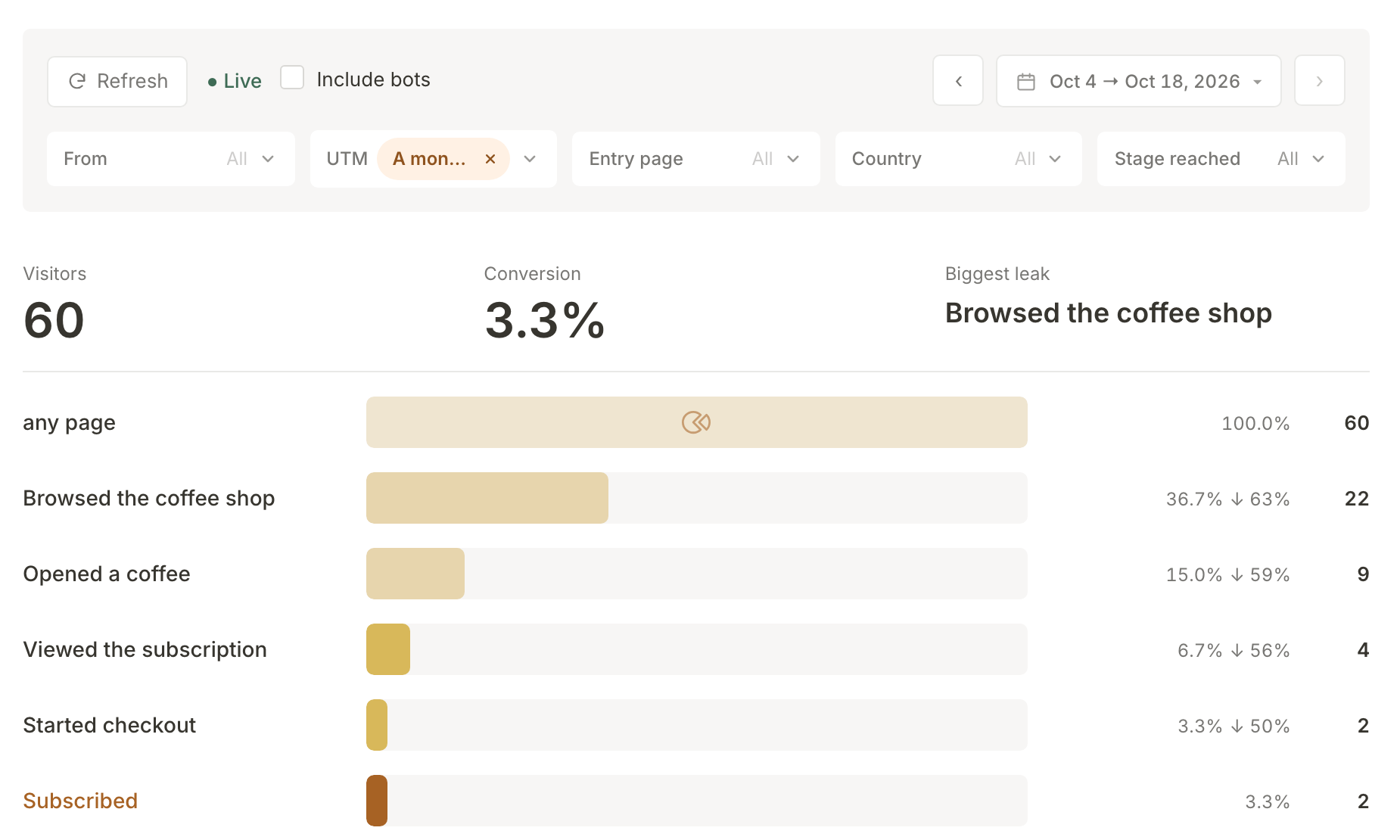
Press Browse to open Funnel Analytics filtered to this initiative, from the day it was created. The UTM filter shows the initiative's name, and every step of your funnel is counted for its visitors only, so you can see where they drop away. Here, about a third of the grinder evening's visitors browsed the coffee shop, but only four reached the subscription page.
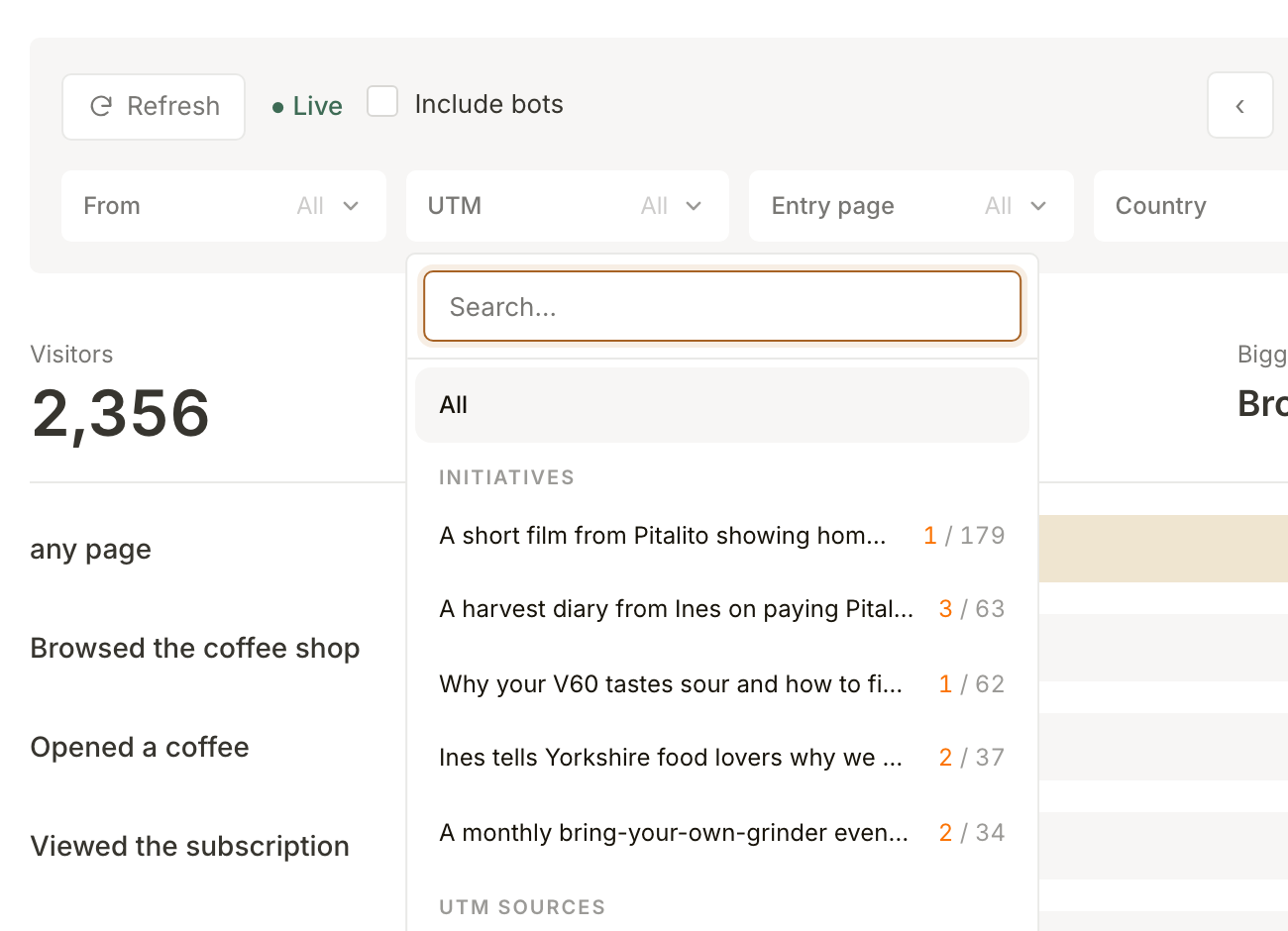
You can also start from Analytics. Open the UTM filter and your initiatives are listed first, under Initiatives, each with how many of its visitors converted and how many it brought in the dates shown. Choose one to filter to it. Below them, UTM sources lists every tag your site has seen, including ones from links you made yourself.
What happens next
What your site's visitors do feeds back into Mole Marketer: every night, a summary of your last 90 days of visits (the pages people arrived on, where they came from and how many converted) goes into the business context that the next pitches and briefs are built from. Read your Funnel Analytics covers the rest of the Analytics page.
Frequently asked questions
What if a marketing channel cannot carry a tagged link?
Some channels are counted by the site that sent the visitor instead. For those, Conversion link shows that site under Referrer in place of Source (youtube.com for a YouTube channel), there is no tag line, and Initiative analytics counts every visit that site referred, including any it sent outside this initiative.
Do I need Google Analytics or a tag manager?
No. Funnel Analytics is included with Mole Marketer, and the tracked links work with it as they are.
Why is the number lower than I expected?
Only visits that arrive on the tracked link with its tags are counted. A forwarded link with the tags cut off, a search, or someone typing your address all arrive untagged.
Can I change the tags?
No. They are set when the initiative is created so that old links keep counting. You can change where the link points with Edit URL at any time.