Choose which emails you get
Which emails Mole Marketer sends, who gets each one, how to change the weekly brief's day, and how to stop any of them in one click.
On this page
The short version
 The short version
- Owners and admins get the weekly brief and the brief pitch email. Everyone with access gets the Friday Analytics report, and people you assign work to get an assignment email.
- Change the weekly brief's day in the property's Settings.
- Every regular email has a link at its foot that stops it in one click.
Mole Marketer keeps its email to a few regular messages, each with one job: the weekly brief tells Priya what needs her this week, the brief pitch email says new briefs are ready to pick, the Friday report shows Northfield's traffic, and an assignment email tells Tom what he has been given. Each person gets the ones that fit their role, and each can stop any regular one without asking anyone.
Know what arrives
| Who gets it | When | Link at the foot | |
|---|---|---|---|
| Your weekly brief | Owners and admins | Once a week on the day set in Settings, from 9am in the property's time zone | stop the weekly brief |
| New brief pitches | Owners and admins | After the scheduled Monday and Thursday brief pitch runs, when new brief pitches are waiting | Stop brief pitch emails |
| The Friday Analytics report | Owners, admins and members the property is shared with | Fridays at 9am UTC, covering the seven days to Thursday | Stop these weekly reports |
| Assignment email | The person assigned | Ten minutes after they are assigned | Stop these emails |
The weekly brief brings the week together in one message: initiative pitches to review, briefs waiting on your answers, this week's new briefs and the initiatives running. It is where new initiative pitches arrive, so it is the one to keep (see Review this week's initiative pitches). A week with nothing to report sends nothing.
The weekly brief, the brief pitch email and the Friday report only go out for an Active property. A draft or paused property sends none of them.
Some emails are not regular and have no stop link, because each is about one thing you did or one thing for you: your sign-in links, a team invite, a brief someone hands off to you by email, and the welcome email when you sign up. Ten minutes after signing up you also get an example of the Friday report, which carries the same stop link as the real one.
Members do not get the weekly brief or the brief pitch email, but new pitches and assignments still reach them as notices in Notifications (see Invite your team and assign work).
Change the weekly brief's day
Open the property's Settings and find Weekly brief. Choose a day under Send it on, then press Save. It is Monday until you change it. The day is set per property, so a second business can arrive on a different day.
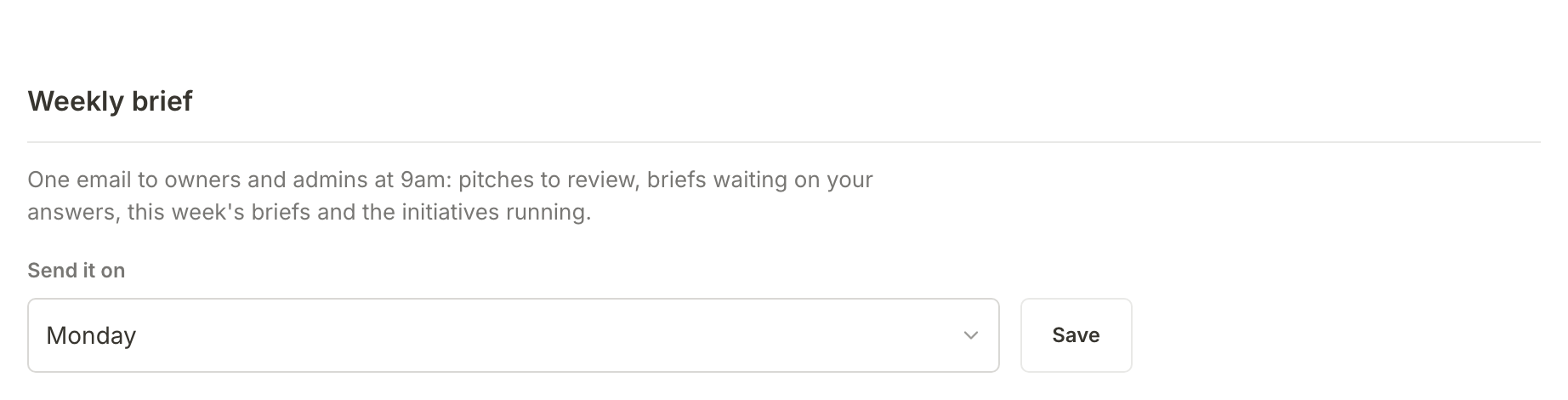
Only owners and admins can change it. A member sees which day it goes out, for example Sent every Monday. The foot of each weekly brief also links straight to this setting with Change the day.

Stop an email in one click
Press the link at the foot of the email you want to stop. You do not need to be signed in. A page opens asking you to confirm, for example Stop the weekly brief?, and naming the address it applies to. A note at its foot names the one email it changes: "This only affects the weekly brief. Sign-in links and billing notices still arrive." Press Unsubscribe.
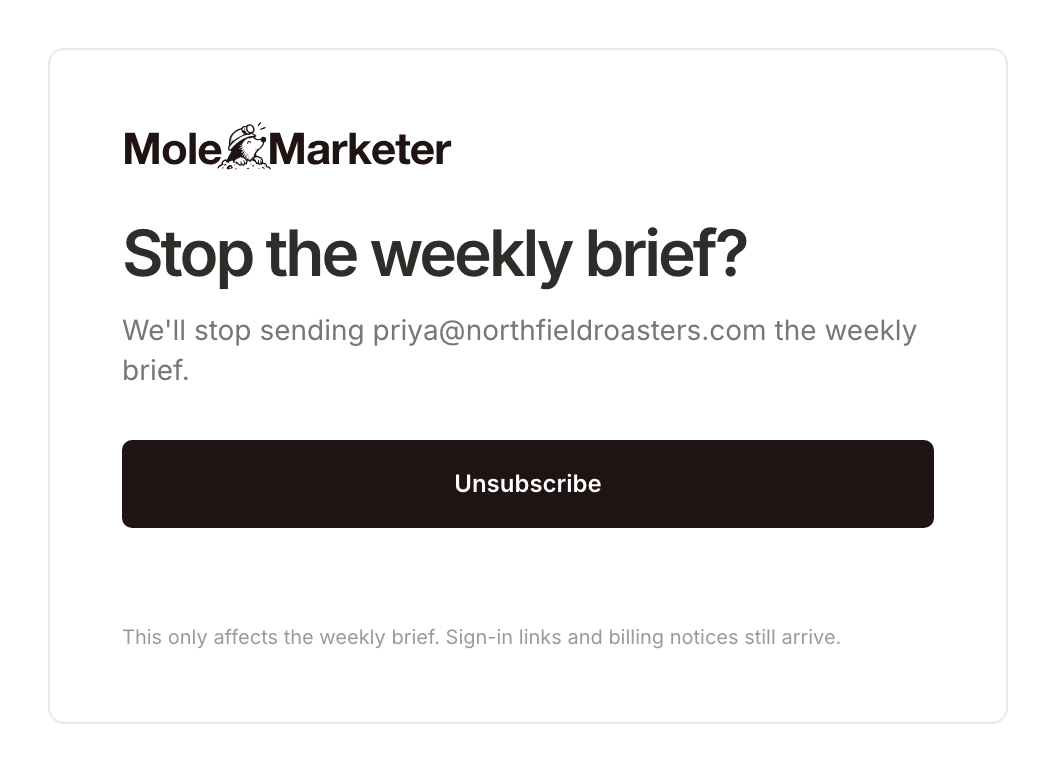
The page then says You're unsubscribed, and only that one kind of email stops. The weekly brief stops for every property you manage, and the others likewise stop for you everywhere. If you changed your mind, press Undo, keep sending them on the same page and it says You're back on the list.
Many email apps also show their own unsubscribe button beside the sender's name on these four emails. It does the same thing as the link.
What happens next
With the right people getting the right emails, each week's pitches and briefs reach whoever decides on them. See Run a week of marketing with Mole Marketer for how the week fits together.
Frequently asked questions
I unsubscribed by mistake. How do I get the emails back?
Press Undo, keep sending them on the page you landed on. There is no page in Mole Marketer to turn an email back on later, so if you have closed it, email support from Contact support on your Account page.
Why do I not get the weekly brief?
It goes to the owners and admins of an Active property, so members do not get it. If you are an owner or admin and it stopped, check you did not press its stop link, that the property is not paused, and that the week had something in it to report.
Can I stop the weekly brief for one property and keep it for another?
Not today. Stopping it stops it for every property you manage.