Start a project yourself
Already know which marketing channel you want to try? Create the project by hand, from any of the 53 channels.
On this page
The short version
 The short version
- Press New beside Projects on the Marketing page, or the + beside Projects in the sidebar.
- Give it a name and choose its marketing channel.
- It starts live with its own tracked link. Write its overview, or press Generate more, to get its first brief pitches.
Most projects start as a pitch, but you do not have to wait for one. Sometimes the team already knows what it wants to try. At Northfield Roasters, a Leeds food podcast has offered Ines a season of sponsorship slots, and Priya wants it in the plan this week. Starting a project by hand takes a minute, and from then on it gets brief pitches like any other live project.
Open the new project window
On the Marketing page, press New beside Projects, or the + New row at the foot of the projects list. You can also hover over Projects in the sidebar and press its +. On a phone, the round + at the bottom of the screen opens the same window.
The window is called New marketing project. It lists every marketing channel, best match first. The number beside each one is how well it scored for your business out of 100, and Not scored means it has not been scored for you yet. In use marks a channel you already have a live project in. The line under the title says what to expect: It starts live, and its first brief pitches follow once you write its overview. Creating the project does not start a brief on its own: its first brief pitches come when you save its overview or press Generate more, as shown below.
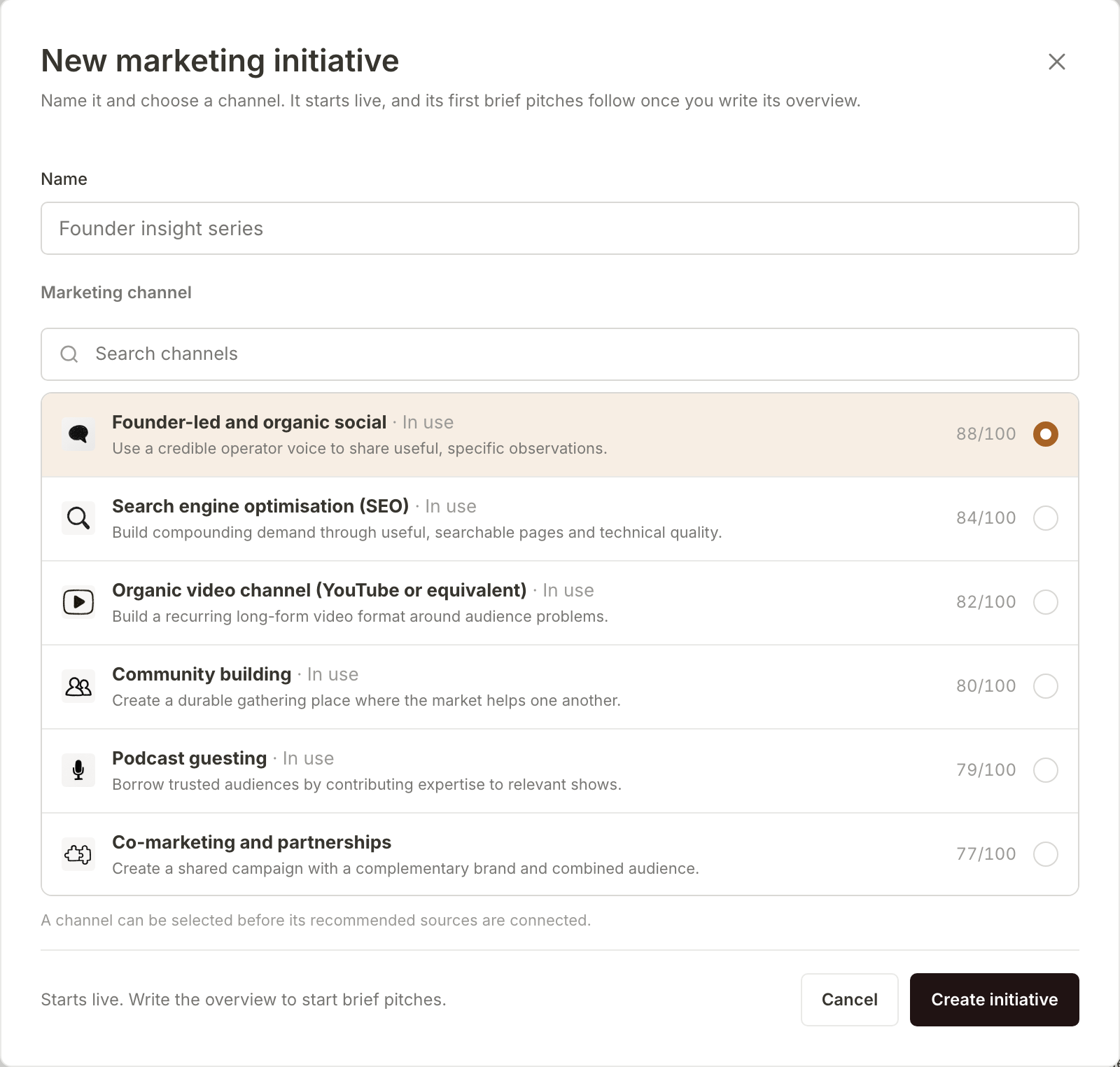
Name it and pick a channel
Type in Search channels to narrow the list, choose a channel, then give the project a Name. Name it the way your team talks about the work, because the name is what everyone sees in the sidebar and on the Marketing page. If you leave Name empty, it takes the channel's default name (the grey text in the box). Then press Create project.
Priya searches for "podcast", chooses Podcast sponsorships and names it "Sponsor a Yorkshire food podcast for one season". You can choose a channel even if you have not connected the sources it usually draws on. Or ask your marketing manager: "Start a podcast sponsorships project called Sponsor a Yorkshire food podcast for one season."
The project opens straight away, live, with its status New, and joins the Projects list in the sidebar. It gets its own tracked link under Details, Conversion link, so visits it sends to your site can be counted. The channel and the tags in its tracked link are set when you create it and do not change afterwards, so pick the channel with care. You can rename the project at any time.
Browse the channels first, if you like
Not sure which channel fits? Under Marketing flows in the sidebar, choose Manage Marketing Channels. Marketing channels shows all 53, which you can search or filter by group: Acquisition, Organic and owned, Distribution, Lifecycle and Sales. Each card links to the skills Mole Marketer uses for that channel, so you can read how it would research, shape and hand off work there.
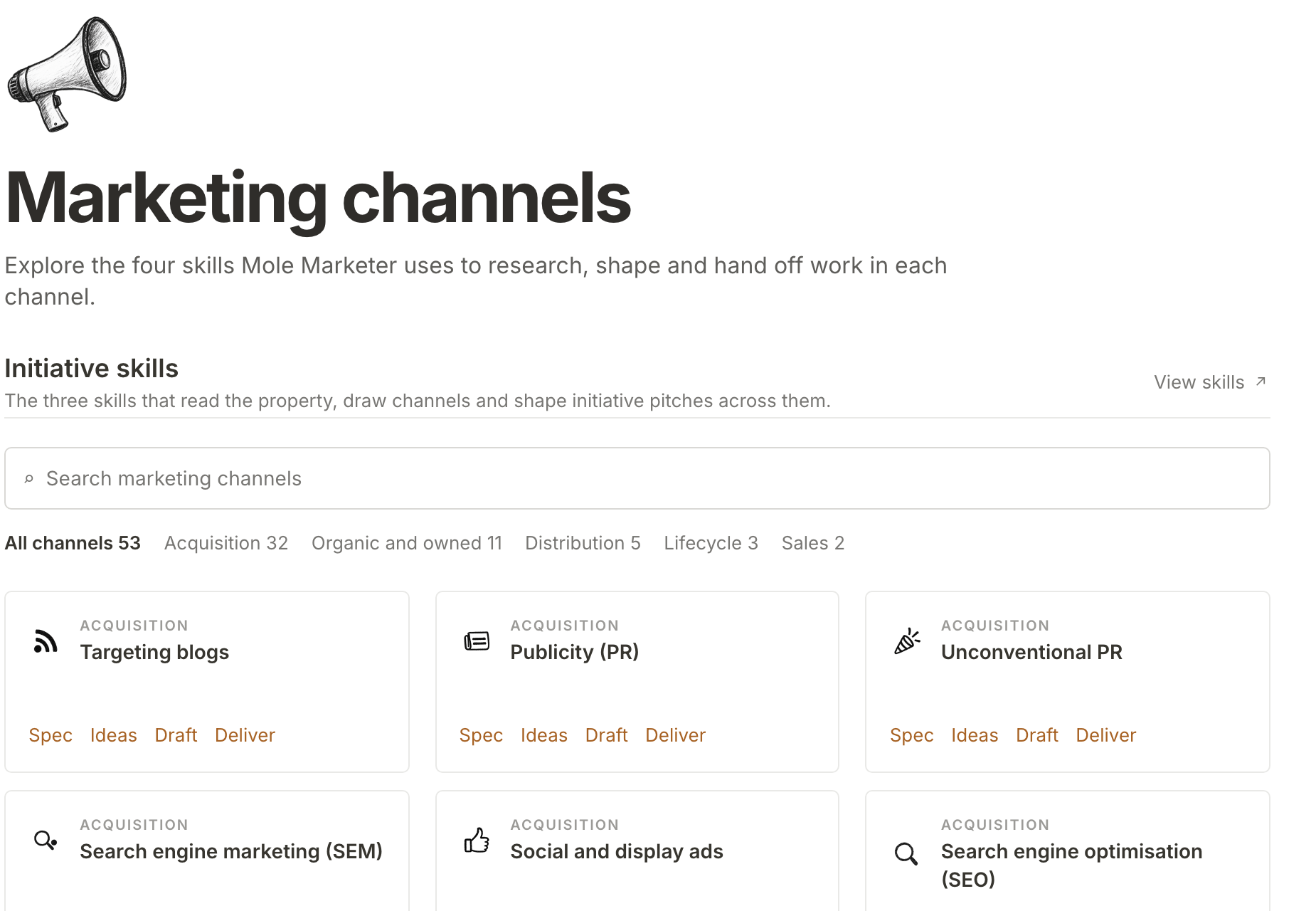
Get its first brief pitches
A new project starts empty: no briefs yet, and Nothing waiting for review under Brief pitches.
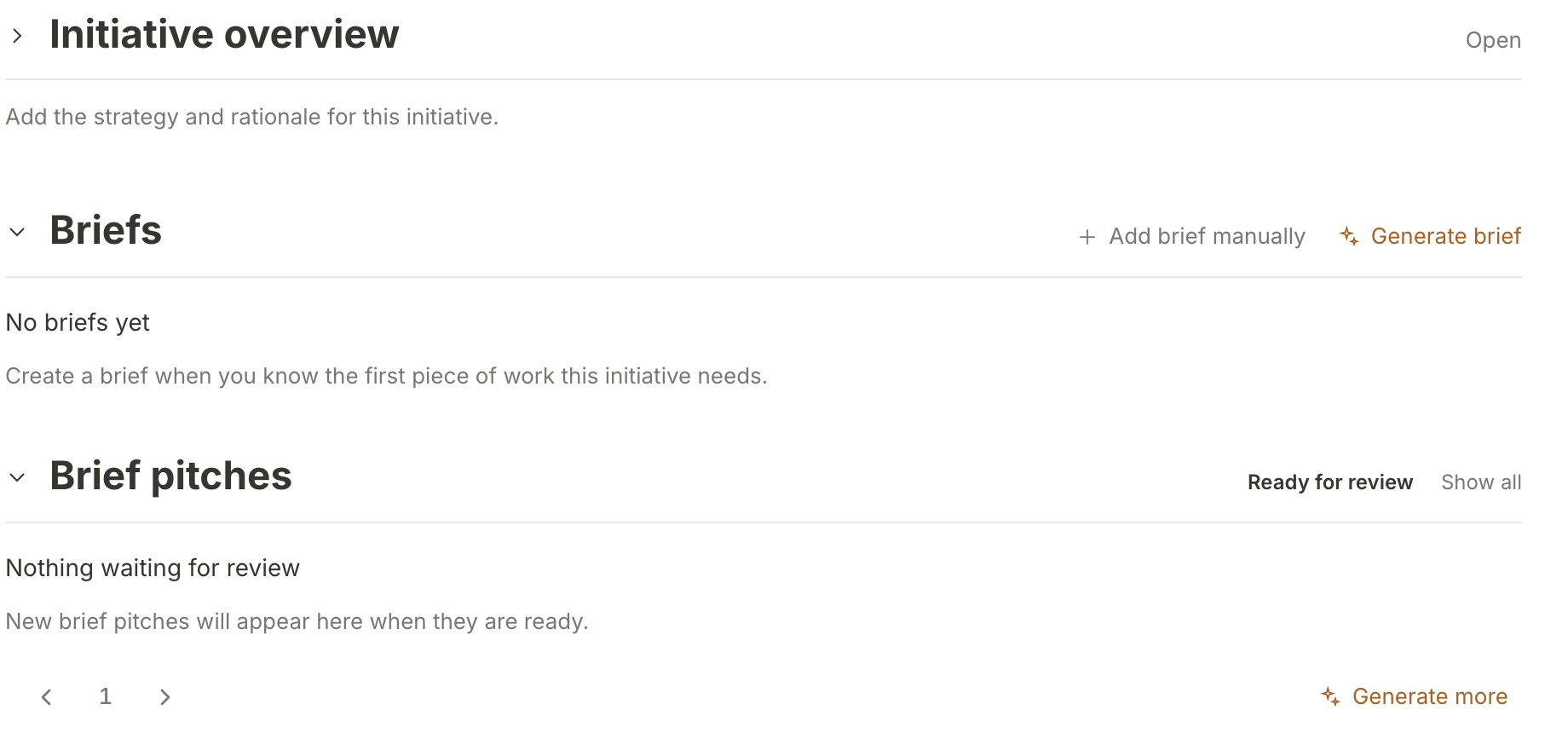
There are two ways to get its first brief pitches:
- Write its overview. Open Project overview and describe what the project is for and the work it includes. It saves as you type. The first time it is saved, Mole Marketer asks for this project's first brief pitches. A few lines on what you want from it gives those pitches more to go on.
- Press Generate more under Brief pitches. It uses some of the property's monthly AI allowance, and the pitches join the list when the run finishes.
After that, the project joins the regular Monday and Thursday brief pitch rounds like any other live one, while your property is active.
What happens next
Brief pitches for the new project arrive on its page. Pick the next brief for a project shows how to read and accept them. To see what traffic it brings once the work is out, read See what traffic a project brings.
Frequently asked questions
Does a hand-made project get scheduled brief pitches?
Yes. Once it is live it is part of the Monday and Thursday brief pitch rounds while your property is active, the same as a project you accepted from a pitch. With more than two live projects, they take turns, and a new one goes to the front of the line for its first scheduled round, unless it already has brief pitches waiting for review or got some in the last three days.
Can I change the channel later?
No. The channel and the tracked link's tags are fixed when the project is created. You can still change the page the link points to. If you picked the wrong one, start a new project in the right channel and delete the old one.
Why does a hand-made project have no scores?
Scores come from the pitching run, which researches and scores an idea before it reaches you. A project you start yourself skips that step, so its Project scores under Details stay at zero.
Who can start a project?
Owners and admins, and any member who can see the property's projects.