Manage your plan, properties and billing
See what you pay, pause a property you are not using, resume it, delete one, and open the billing portal.
On this page
The short version
 The short version
- Growth is $99 a month for each active property, however many people use it.
- Pause a property to stop its tracking and its AI work, and take its seat off your plan. Your plan never goes below one property, $99 a month. Resume it any time.
- Owners and admins open the billing portal from Manage billing.
Mole Marketer has one plan, Growth, at $99 a month per active property. A property is one business: its context, its pitches and briefs, and its Funnel Analytics. Northfield Roasters is one property, so Priya pays $99 a month, and adding Ines and Tom to the team did not change that. This page covers what you pay, how to pause and resume a property, how to delete one, and where to change your card. Only owners and admins can change any of it, and only they see the plan and billing.
See what you pay
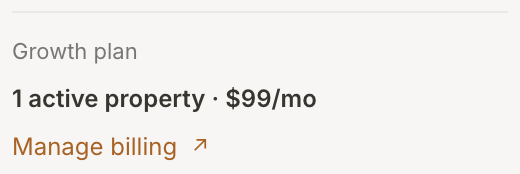
The foot of the sidebar shows your plan: Growth plan, how many active properties you have and the monthly total. During your free trial it says Free trial and how many days are left. Manage billing opens the billing portal (more on that below).
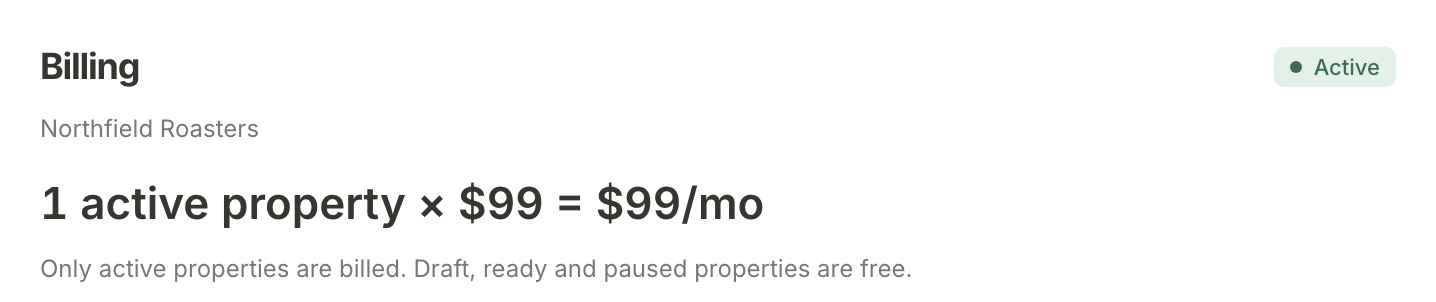
For the sum behind the total, open Settings & members and scroll to Billing. It shows the count of active properties times $99, and the rule: Only active properties are billed. Draft, ready and paused properties are free.
A property is Draft while it is still being set up. One that finishes setup when activating it would add to your bill, such as a second business, waits as Ready until you press Activate property in its Settings. See Set up your business as a property for how a property becomes Active.
Pause a property
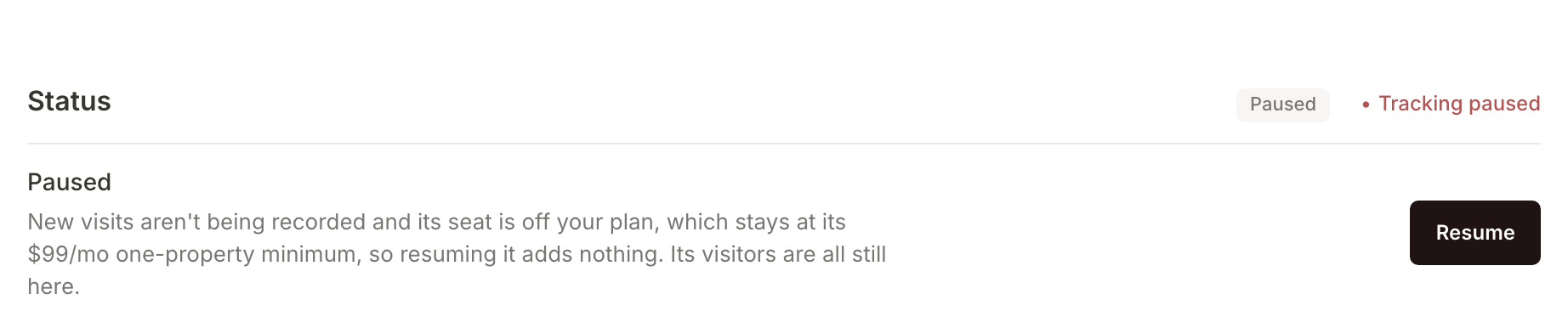
Pause a property you are not using for a while, such as a seasonal shop out of season. Open the property's Settings and find Status. Under Active and billed it says what pausing does to your plan; Northfield is Priya's only active property, so it says her plan stays at its $99/mo one-property minimum. Press Pause property and Mole Marketer asks you to confirm: New visits stop being recorded until you resume it. Confirm, and the status changes to Paused, with a message saying where that leaves your plan.
A paused property:
- records no new visits in Funnel Analytics,
- gets no new initiative or brief pitches, and no brief updates, adaptations or first drafts,
- sends no weekly brief, brief pitch email or Friday report,
- takes its seat off your plan, unless it was your only active property, because your plan never goes below one property (see below).
Nothing is deleted. Its visitors, initiatives and briefs all stay, and your team can still open and read them.
Resume it
A paused property's Status says Paused, with a Resume button. When resuming adds a seat to your plan, the button shows what that costs, for example Resume · $99/mo. When the property was your only active one, the one-property minimum you are already paying covers it, so the button says just Resume and the message says resuming it adds nothing. Press it and the property is active again: tracking starts, the weekly pitches and emails start again, and its seat goes back on your plan. Funnel Analytics also shows This property is paused across the top until you resume it.
Delete a property
Deleting is for a property you will never need again. In the property's Settings, Delete property removes it with every visitor, event, funnel step, initiative and brief it holds. Mole Marketer asks you to confirm first. This can't be undone, so if you might come back to it, pause it instead.

Open the billing portal
To change your card or cancel your subscription, press Manage billing in the sidebar or in Billing on the Account page. It opens our payment provider's billing portal, which links back to your Account page when you are done. Manage billing appears once you have added a card at checkout, and only for owners and admins.
What happens next
The plan does not count people, so bring in the rest of your team: see Invite your team and assign work.
Frequently asked questions
If I pause my only property, do I stop paying?
No. Once you have added a card, your plan always covers at least one property, so pausing your last active property does not take the bill below $99 a month. Settings warns you before you pause, and the message after you pause says so: "You have no active properties now, so your plan stays at its $99/mo one-property minimum." Billing on the Account page then says No active properties · $99/mo minimum, with the note "Your plan covers one property even while none is active." To stop paying altogether, cancel the subscription from Manage billing.

Does pausing delete anything?
No. Everything the property recorded and everything your team wrote stays where it is. Pausing only stops new visits, new AI work and the regular emails.
Is it priced per user?
No. You pay per active property. An organisation has room for five people, pending invites included, and adding them costs nothing.
Can a member pause or delete a property?
No. Only owners and admins can change a property's status, delete it or see billing. A member sees the Settings page read only, with the property's status but no prices.